Feature · Xtream Codes API

The Xtream Codes player for your desktop

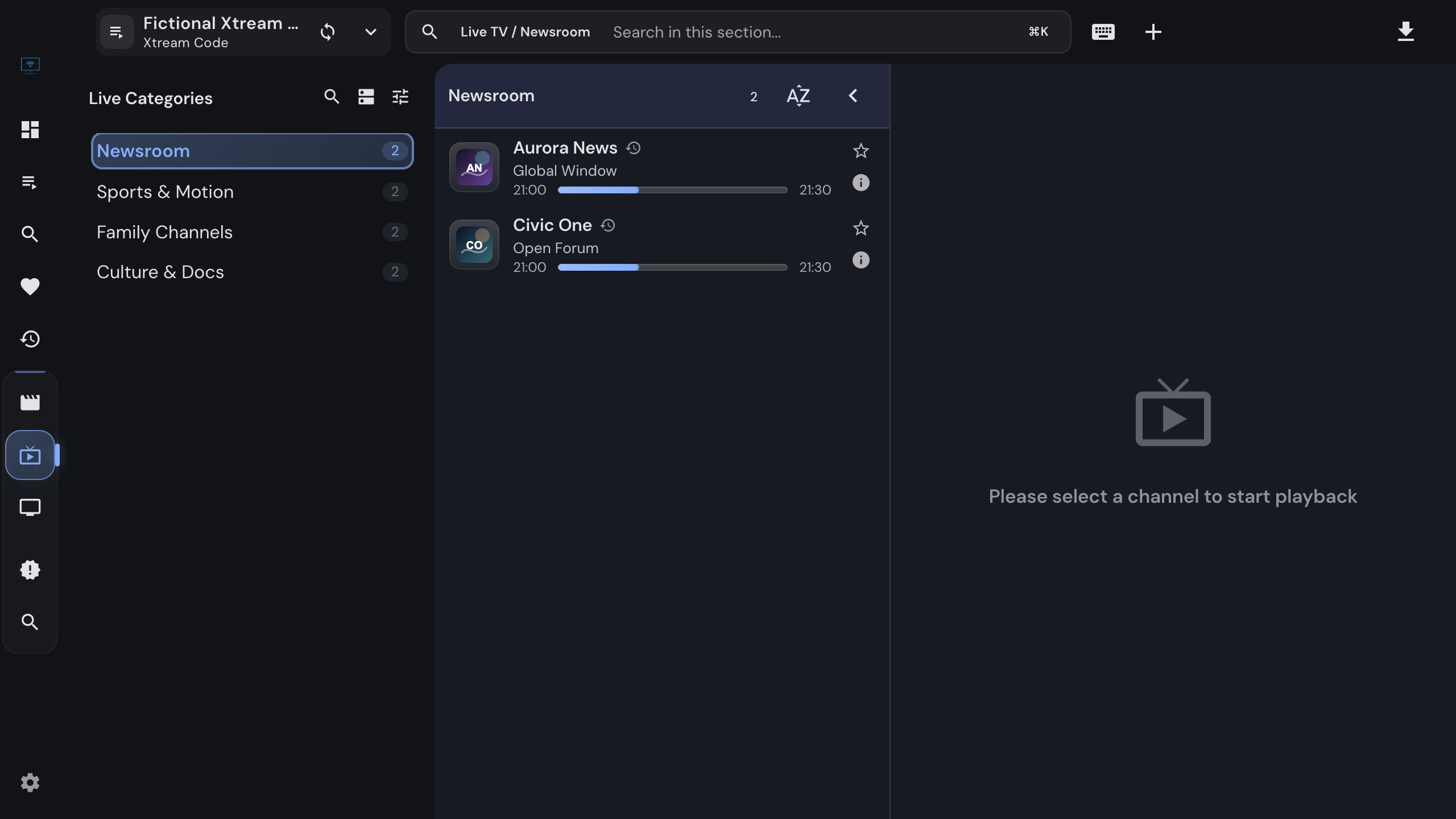
Sign in with server URL, username and password and get the whole provider library: live channels with a program guide and catch-up, movies and series with posters and details, downloads for offline viewing, and a local catalog that opens instantly.

  • Live, movies & series
  • Portal EPG & catch-up
  • Offline downloads
  • Local catalog
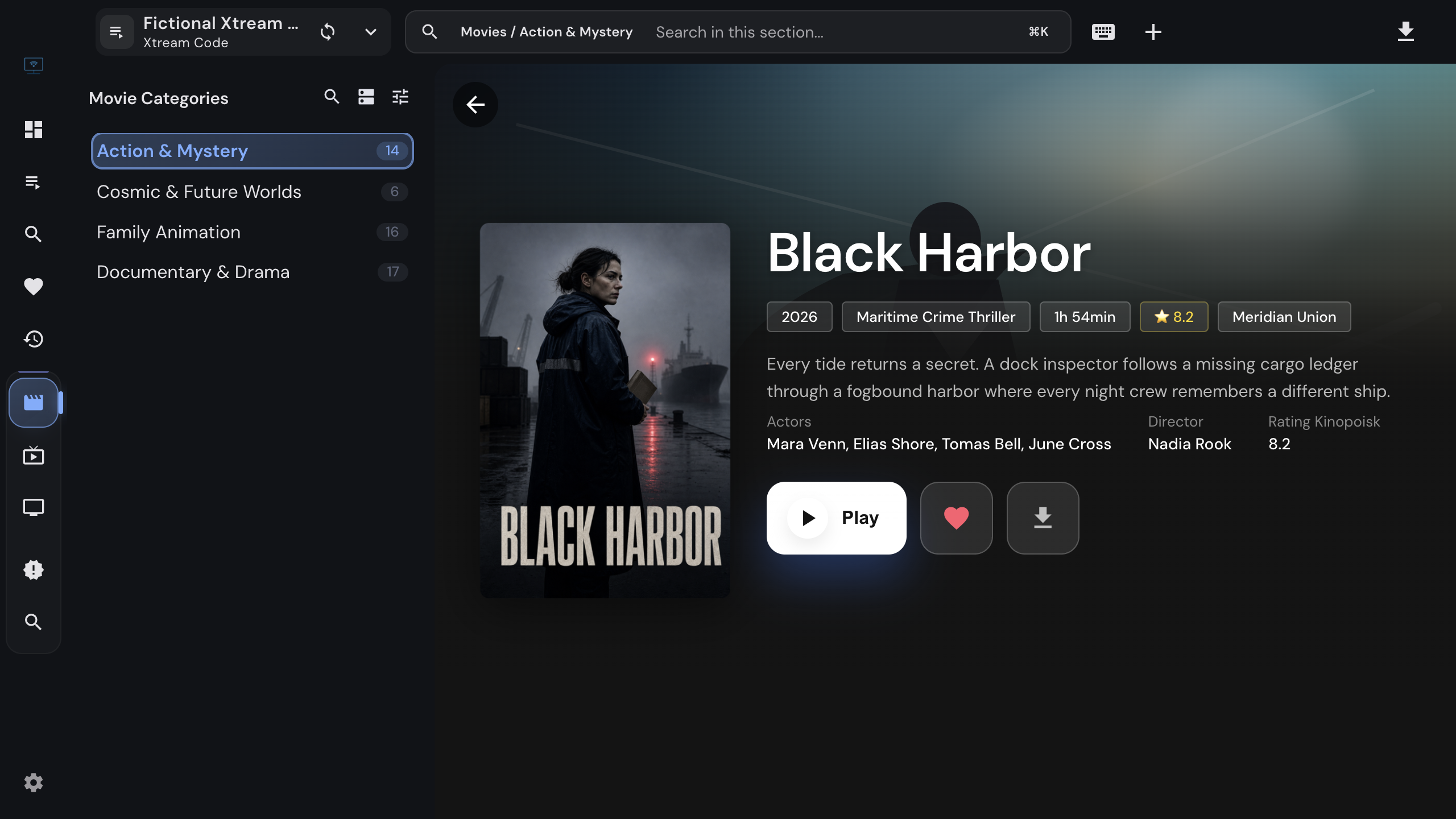
Movie details from an Xtream source with poster, description and playback actions

What you get

One login, the whole library

Everything the provider exposes through the API, organized the way a desktop app should organize it.

01

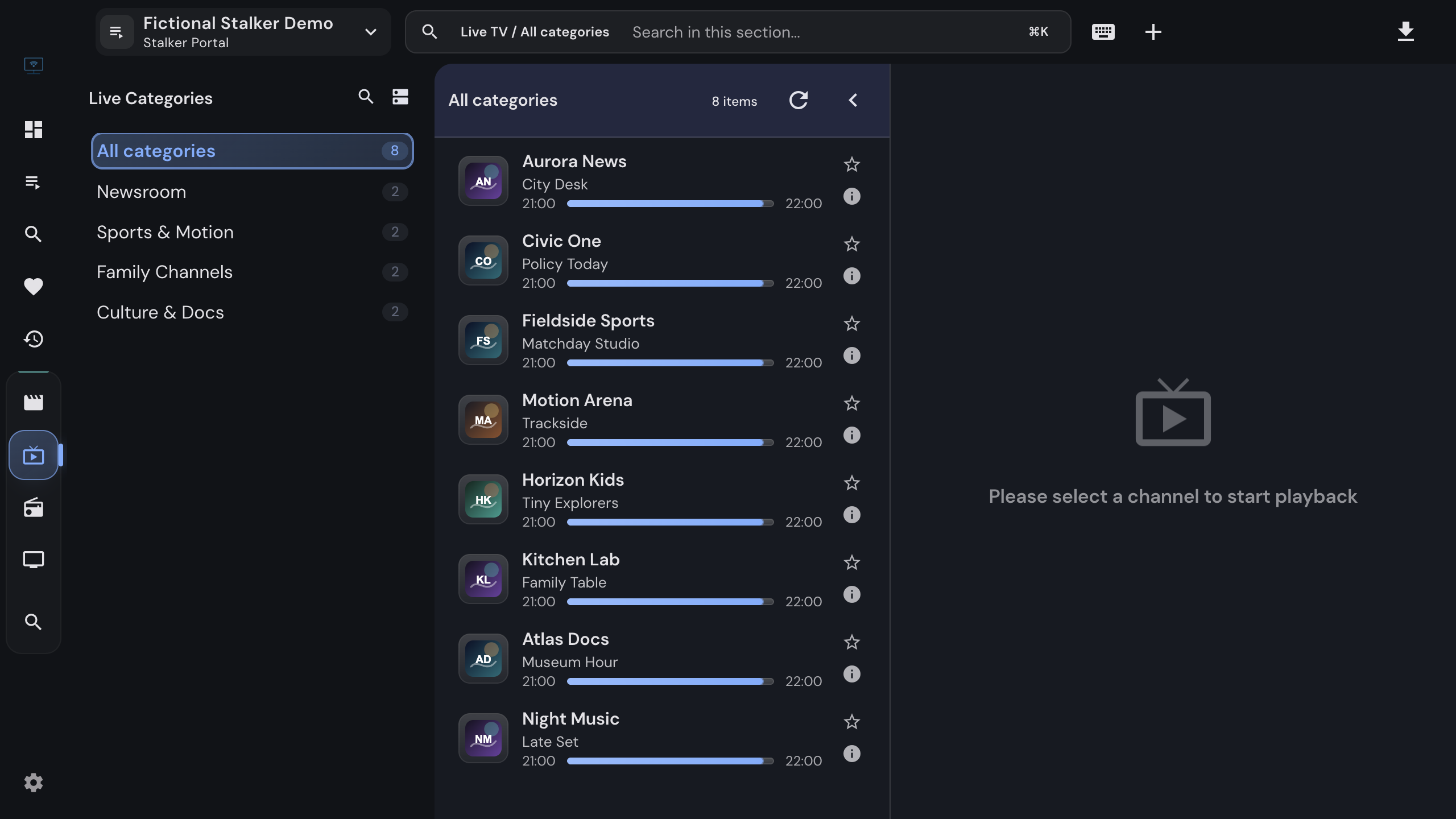
Live TV with a guide

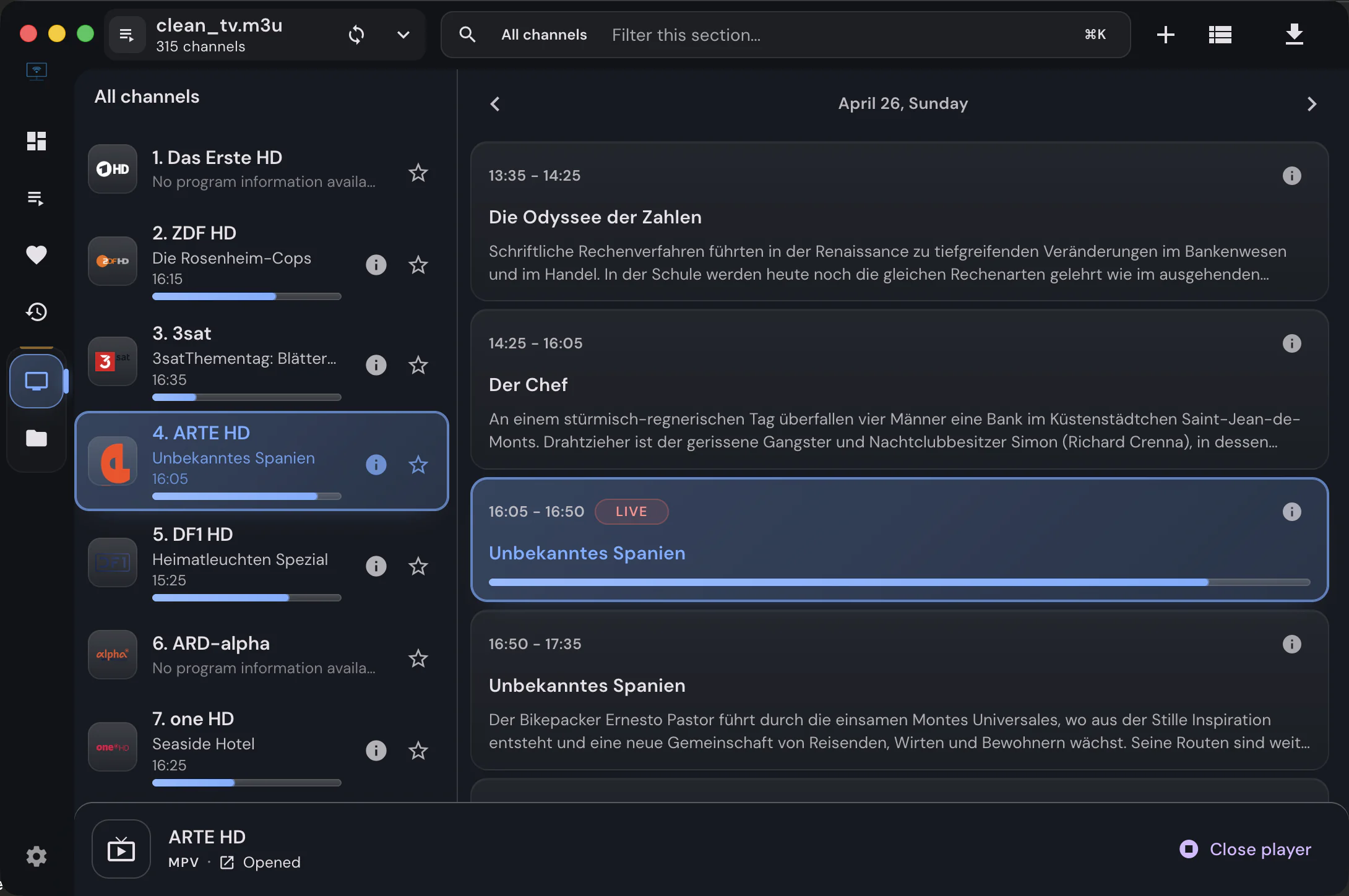
Categories, channels with the current program and a timeline under the player, fed by the portal schedule. Archived channels carry a catch-up badge and play from the timeline.

02

Movies and series

Poster grids per category and a detail page with description, cast, trailer and similar titles. Seasons are tabs, episodes remember where you stopped, and whole seasons can be marked watched.

03

A local catalog

The desktop app stores the categories and content in a local library, so a source opens instantly and only changed data is downloaded on the next sync.

04

Offline downloads

Save movies and episodes to disk from the detail page. The download manager resumes interrupted transfers and keeps a library of finished files.

05

Search, favorites, recent

Per-source search, favorites and history, plus a Recently added section for new content and global collections across all your sources.

06

Metadata and discovery

Optional TMDB enrichment adds artwork, ratings and trailers, links actors to their filmography, and opens a Discover page by year, genre and country.

07

Account info

Status, expiry date, active and maximum connections, trial flag and allowed formats in one dialog; the dashboard shows an expiry chip during the last week.

08

Refresh without losing data

Refresh a source from the provider while favorites, watch history, hidden categories and playback positions stay in place.

09

The same movie, several sources

With more than one Xtream source, a movie found in several of them shows a Sources chip, and playback can switch to another copy or fail over automatically.


Series

Seasons, episodes, progress

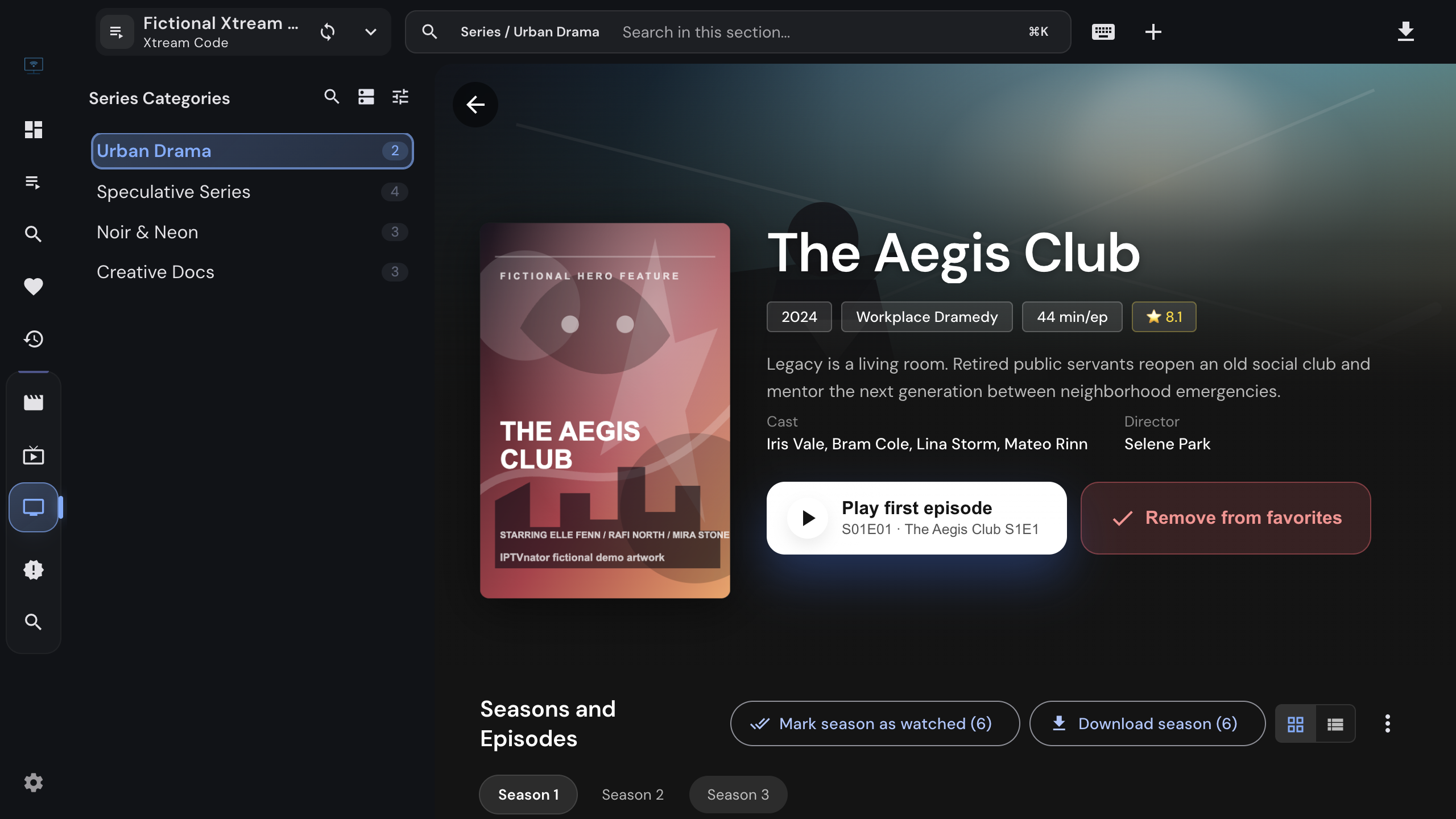
A series opens with its seasons as tabs and the episodes of the selected season below, with stills and descriptions from the provider or from TMDB when enrichment is on. IPTVnator remembers the position in every episode, offers Resume and Play next episode, and shows an Up Next rail beside the player while an episode is playing.

Seasons and whole series can be marked watched in one action, and on the desktop app a season can be downloaded episode by episode for offline viewing.

Series details with season tabs and the episode list of a season

Under the hood

Connection details

What you enter
Server URL, username and password. A pasted get.php or player_api.php link fills the fields for you.
Connection test
Before adding, IPTVnator asks the portal for the account status and reports active, expired, inactive or unreachable.
Stream formats
Live streams use HLS when the portal allows it and fall back to MPEG-TS; a manual format setting exists under Settings › Playback.
Program guide
The portal schedule is used first. On the desktop app, your own XMLTV sources fill missing channels or take precedence, as you prefer.
User-Agent
A provider-compatible IPTV player signature by default; a custom one per playlist on the desktop app.
Browser version
Works in the self-hosted web version through its backend proxy; the local catalog and downloads are desktop features.

FAQ

Questions about Xtream Codes

What is an Xtream Codes player?+

A player that talks to the Xtream Codes API most IPTV panels expose: it signs in with a server URL, username and password and receives categories, channels, movies, series, the program guide and catch-up from the provider. IPTVnator is one, free and open source.

Does IPTVnator work with any Xtream Codes provider?+

It works with panels that implement the Xtream Codes API, including the common variants in account-info actions, catch-up URL shapes and stream formats. The connection test in the Add playlist dialog tells you immediately whether the portal answers.

Can I watch movies and series, not only live TV?+

Yes. Movies and series are first-class: poster grids, detail pages with descriptions and cast, seasons and episodes with resume positions, and on the desktop app a download button for offline viewing.

Does the program guide and catch-up work?+

Yes. The portal schedule is shown in the channel list and in a timeline under the player, and channels the provider archives can be played from the timeline. The timeline shows how many days of archive a channel has.

Can I add more than one Xtream account?+

Yes. Every account is its own source with separate favorites, history and cached catalog. The dashboard, global favorites, recent items and search combine them.

Does IPTVnator sell Xtream Codes subscriptions?+

No. IPTVnator is a player. The server URL, username and password come from the provider you already have a contract with, and they are only sent to that server.


Keep reading

Guides and background

Official downloads only

IPTVnator is a player, not a TV service. It is distributed exclusively through GitHub releases and the package managers listed on this page. Websites that sell "IPTVnator subscriptions", channel packages or "activated" copies are not affiliated with the project. How to recognize unofficial sites.