Feature · M3U playlists

An M3U player that keeps up

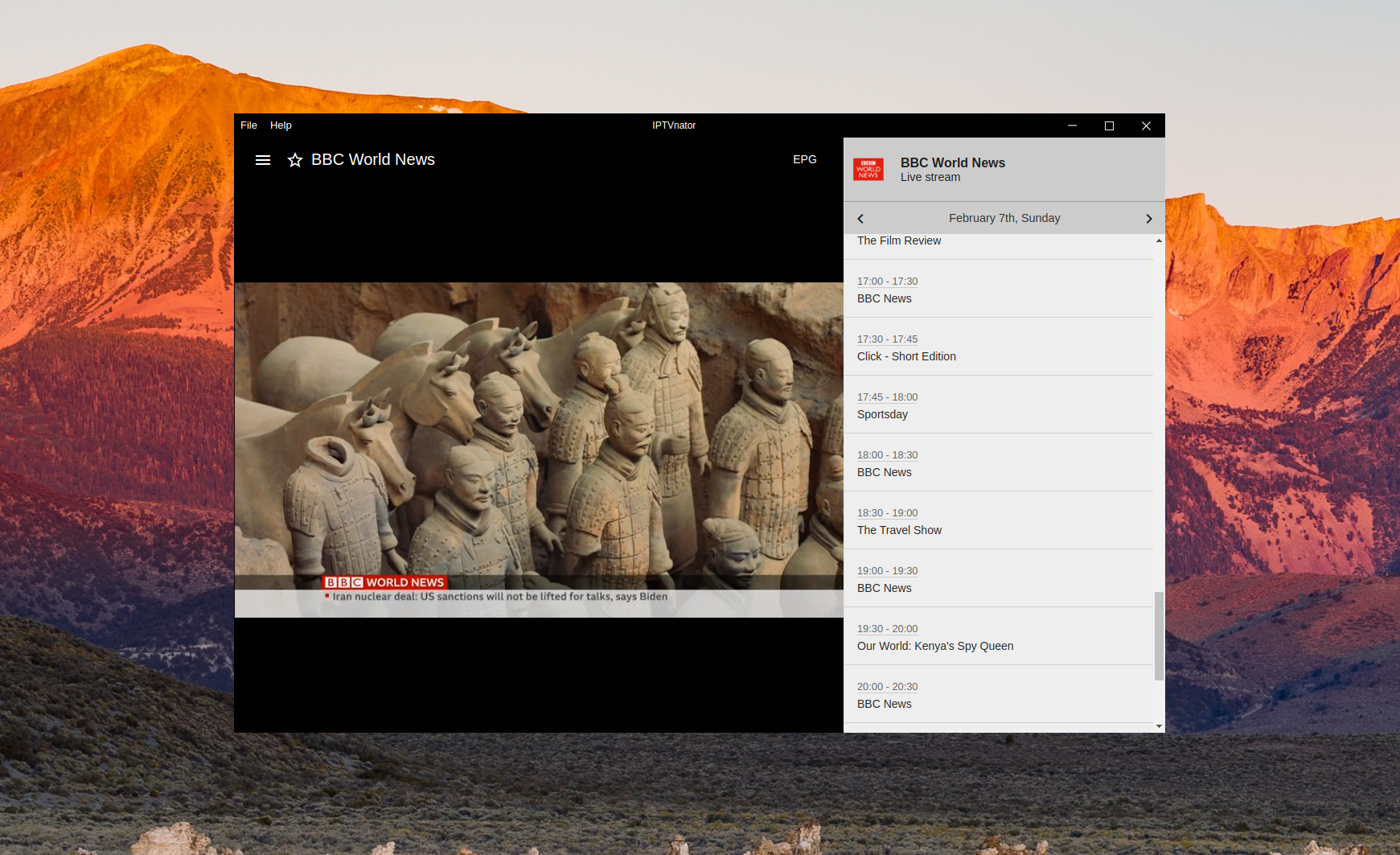
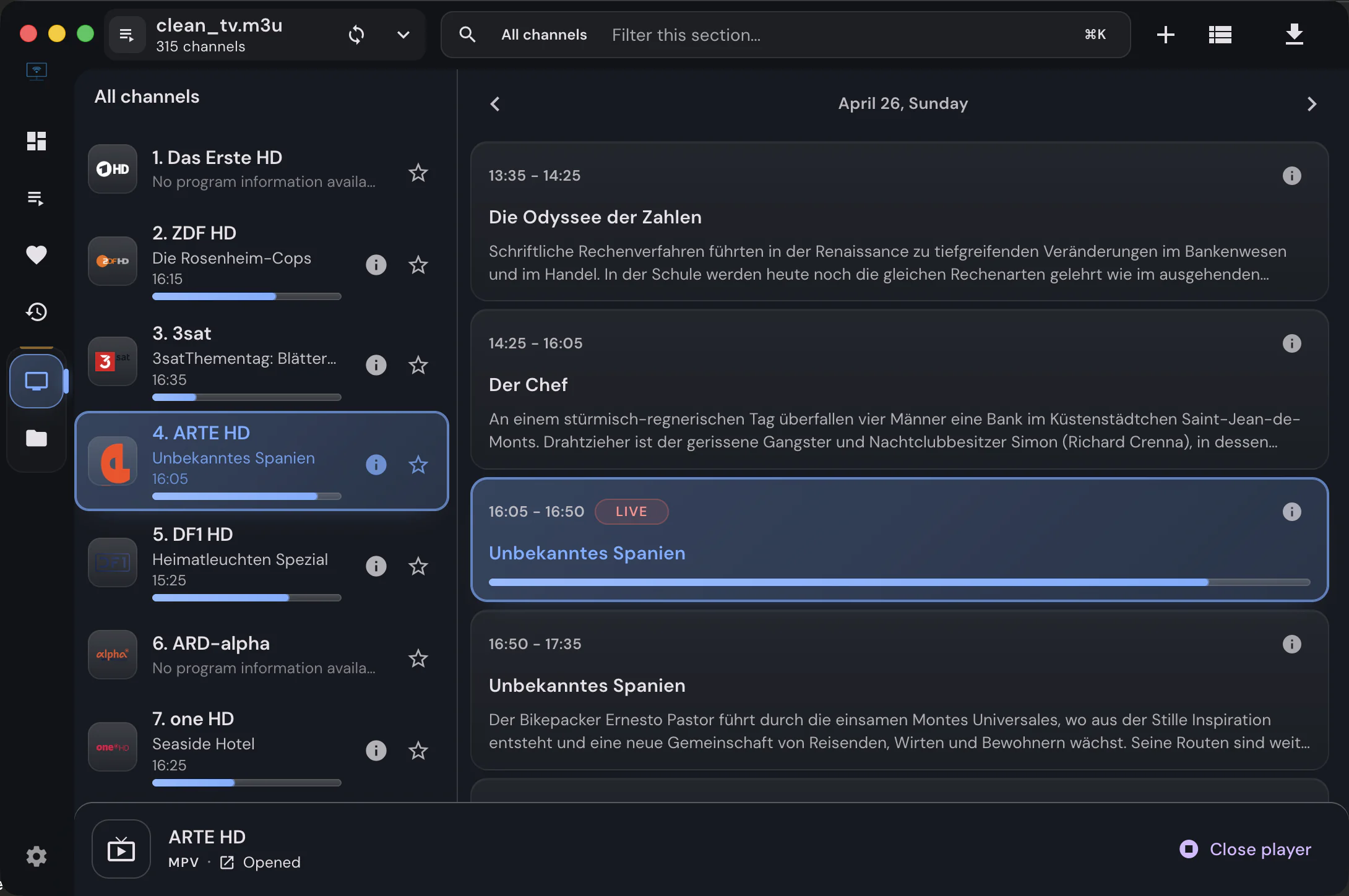
Load an M3U or M3U8 playlist from a link, a file or pasted text and get a desktop TV app: grouped channels, favorites, instant search, a program guide with catch-up, and playback engines that handle what browsers cannot.

  • M3U & M3U8
  • URL, file or text
  • Tens of thousands of channels
  • XMLTV EPG
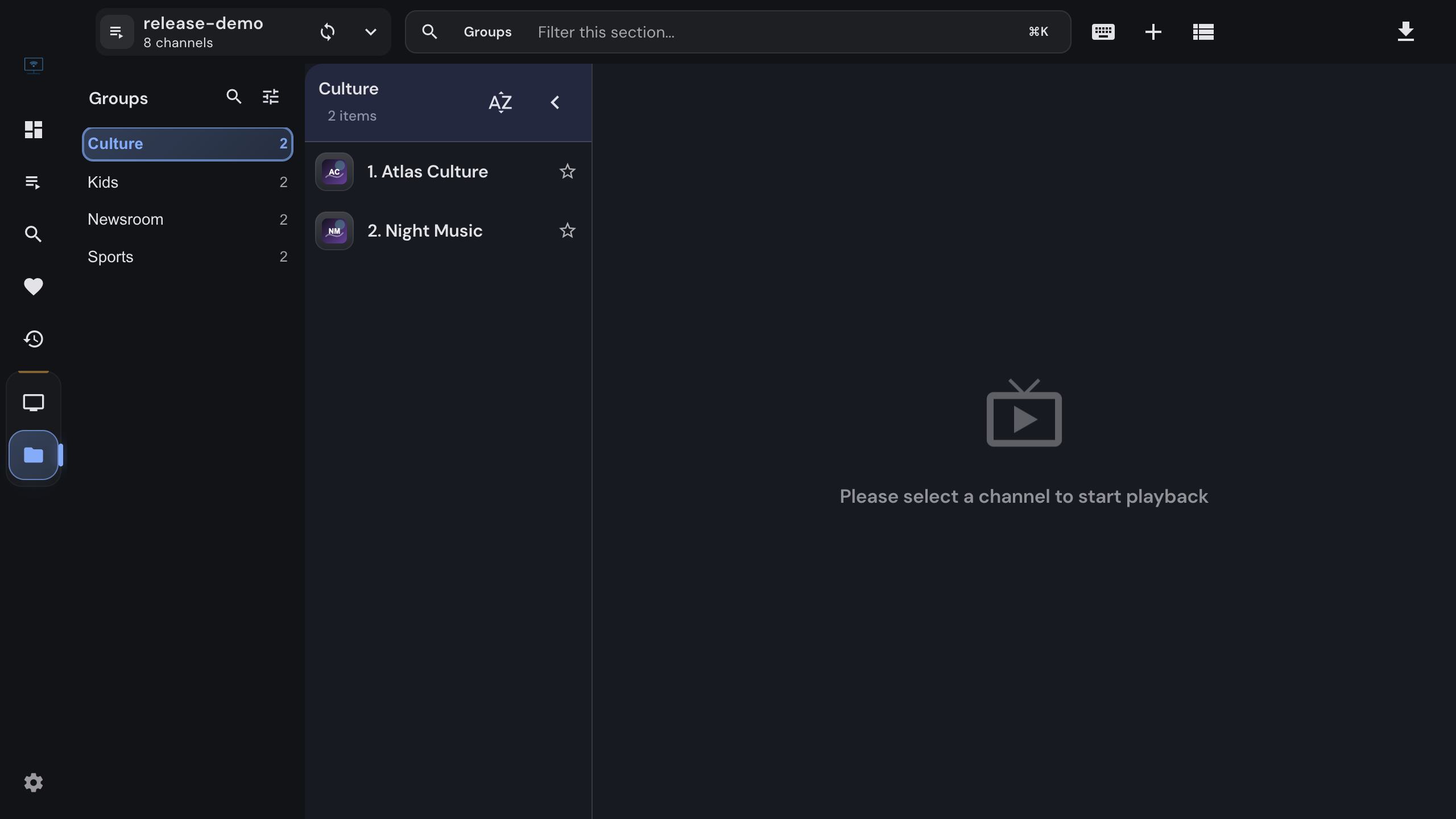
Groups view of an M3U playlist with a group and its channel list

The library

Built for big playlists

Provider playlists are long. The list, the groups and the search are designed around that.

01

Lists that stay fast

The channel list is virtualized, so a playlist with tens of thousands of entries scrolls and searches without lag. Search filters as you type.

02

Groups from the playlist

Every group-title becomes an expandable section. Hide the groups you never watch; the hidden set survives refreshes.

03

Favorites and history

Star channels into a favorites list you can reorder by drag and drop, and jump back to what you watched last from Recent.

04

Refresh and auto-update

Re-download a playlist on request, or let the desktop app refresh it on every start. Favorites, hidden groups and settings are kept.

05

Import any way you like

Paste a link, pick a file, drop it onto the window, open it from the file manager, pass it on the command line, or paste the raw text.

06

Global favorites and search

With several playlists, the dashboard combines favorites, recent items and search across all of them.


Playlist attributes

Everything the playlist declares

IPTVnator reads the extended M3U attributes providers use, so logos, guide ids, catch-up windows and radio flags all mean something.

Logos and names
tvg-logo, tvg-name and the display name are used for the list; XMLTV icons fill in missing logos.
Program guide
tvg-id links a channel to the guide. url-tvg or x-tvg-url in the header imports the EPG source automatically.
Catch-up
catchup, catchup-source and catchup-days, or the older tvg-rec and timeshift, make archived programs playable from the timeline.
Radio
Entries with radio="true" open in a dedicated audio layout with artwork, transport controls and volume.
DASH with ClearKey
#KODIPROP lines with inputstream.adaptive keys play in the built-in player through Shaka.
Movie files
Entries that look like a movie file open in a movie detail view with TMDB metadata when enrichment is enabled.

Playback

Engines for every stream

Most streams play in the built-in players. The rest go to MPV or VLC without leaving the app.

01

Three built-in engines

HTML5 with hls.js, Video.js and ArtPlayer cover HLS, MPEG-TS and DASH streams with one shared set of controls, subtitles, quality selection and picture-in-picture.

02

MPV and VLC handoff

Streams the browser engines cannot decode go to MPV or VLC on your machine while IPTVnator keeps the list, the guide and the remote control.

03

Embedded MPV

An experimental engine renders mpv inside the app window on Windows, macOS and Linux, including live-TV recording where supported.

04

Custom User-Agent

Providers that only answer known player signatures get the User-Agent you set in the playlist details, for both playlist download and playback.


FAQ

Questions about M3U playlists

Does IPTVnator play both M3U and M3U8 playlists?+

Yes. Both extensions are the same text format; M3U8 only marks the file as UTF-8. Playlists can come from a link, a local file or pasted text, and the same attributes are read from all of them.

How many channels can a playlist have?+

The list is built for very large playlists and stays responsive with tens of thousands of channels. Groups, favorites and search all work on the full list, not on a page of it.

Does the playlist update when my provider changes it?+

Refresh it on request from the playlist details, or enable Auto-update to re-download it every time the desktop app starts. Your favorites, hidden groups and settings are kept across refreshes.

Can I get a program guide for an M3U playlist?+

Yes, on the desktop app. Add an XMLTV source in Settings › EPG, or let the playlist declare it through url-tvg in its header. Channels are matched by tvg-id, and you can map the rest by hand.

What if a channel does not play?+

Open it in MPV or VLC via Settings › Playback, or enable the experimental embedded MPV engine. Providers that require a specific User-Agent get it from the playlist details.

Does IPTVnator provide playlists?+

No. IPTVnator is a player. You bring the playlist you already have from your provider, and nothing in it is sent anywhere except to the stream hosts it points at.


Keep reading

Guides and background

Official downloads only

IPTVnator is a player, not a TV service. It is distributed exclusively through GitHub releases and the package managers listed on this page. Websites that sell "IPTVnator subscriptions", channel packages or "activated" copies are not affiliated with the project. How to recognize unofficial sites.