Download · Browser version

IPTVnator in a container

The browser version of IPTVnator ships as one Docker image: the web app plus the backend that fetches playlists and talks to portals. Run it on a home server, open it from any device on your network, and keep the desktop app for the features a browser cannot offer.

  • One image, no extra backend
  • amd64 & arm64
  • Port 4333 by default
  • Free & open source
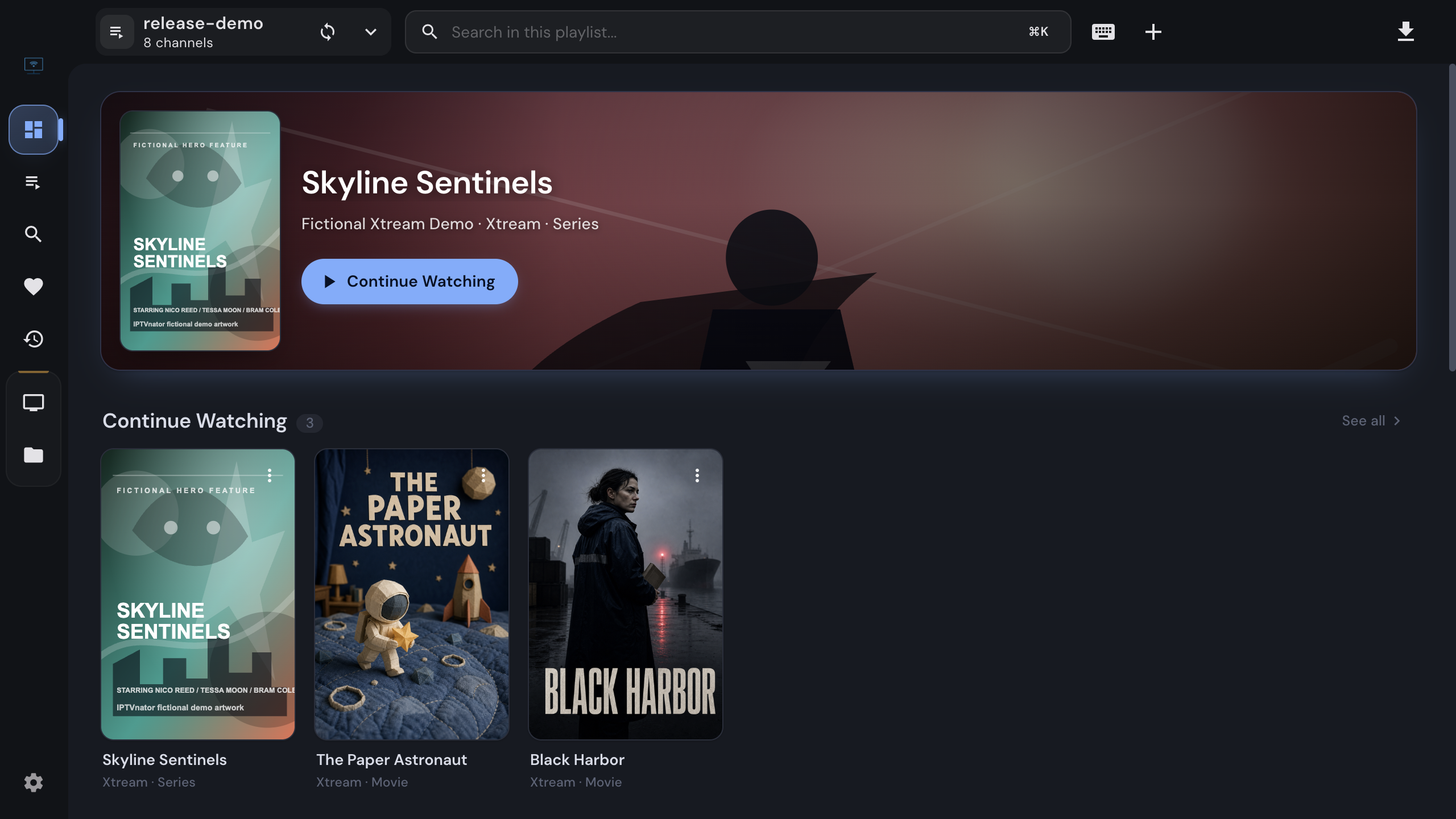
The IPTVnator dashboard, which the browser version renders identically
The same interface, served from your own container

Quick start

Running in one command

The compose file in the repository is ready to use. The snippet below is the same thing without the build stage, for hosts that only pull images.

On the host

  1. 1

    Install Docker and Docker Compose on the machine that will host IPTVnator. A home server, a NAS or a spare computer all work; the image is published for amd64 and arm64.

  2. 2

    Save the compose file from the repository, or copy the command below into a directory of your choice.

  3. 3

    Start the container. On the first run Docker pulls the image; later runs start in seconds.

  4. 4

    Open the address in any browser on the same device and add your first source: an M3U playlist, an Xtream Codes login or a Stalker portal.

From a repository checkout
docker compose -f docker/docker-compose.yml up --build -d
docker-compose.yml, image only
services:
  iptvnator:
    image: 4gray/iptvnator:latest
    restart: unless-stopped
    ports:
      - "4333:80"
    environment:
      CLIENT_URL: http://localhost:4333
Then
docker compose up -d

The app answers on http://localhost:4333. The full compose file with health check and all variables is in the repository.


What is inside

One image, two halves

Everything the browser needs to run IPTVnator on its own, and nothing that needs a desktop.

01

The complete web app

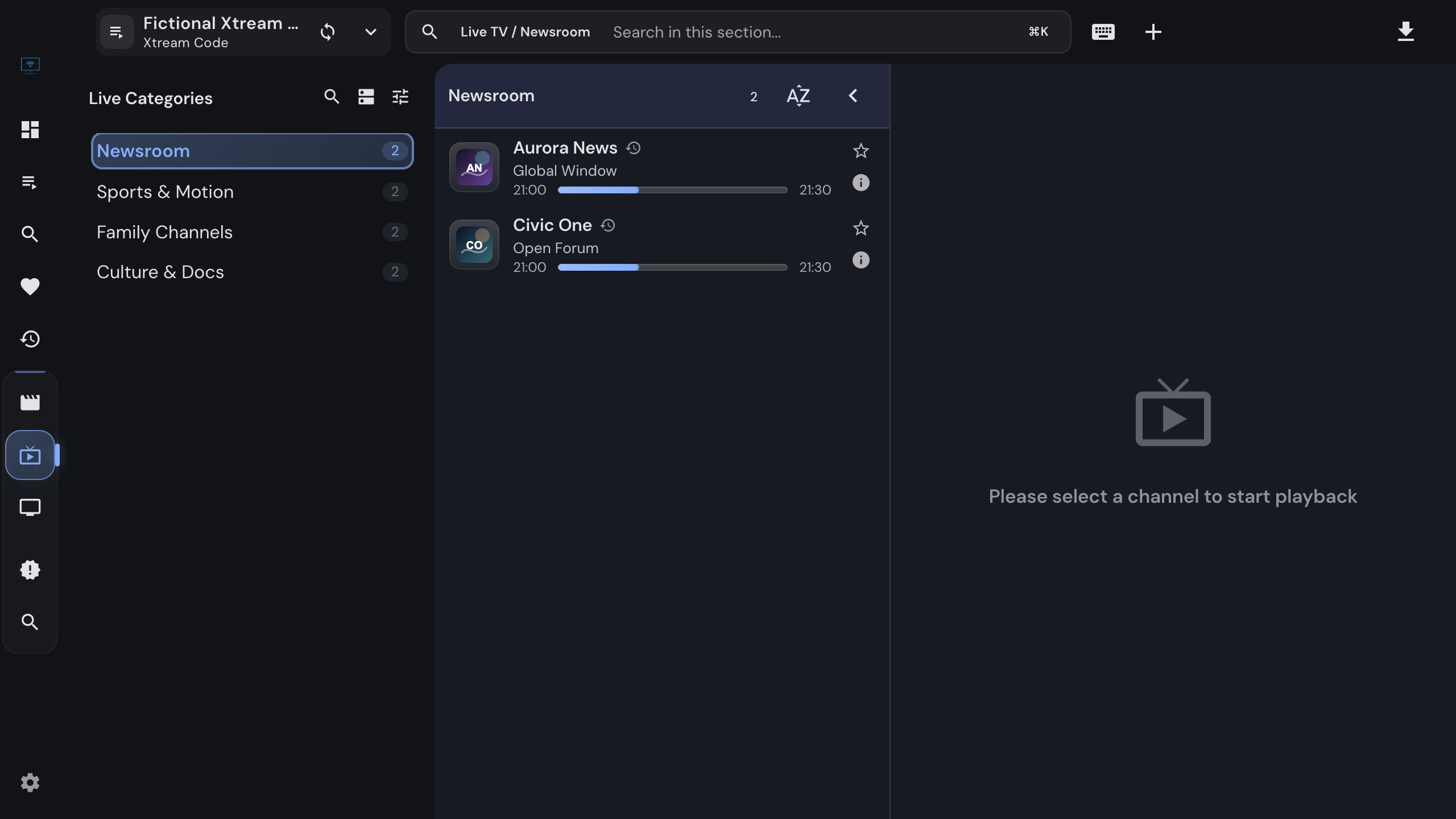
The same interface as the desktop app: sources, dashboard, live TV, movies and series with details, favorites, history and search across sources.

02

A backend in the same image

Browsers block cross-origin requests, so the container ships an Express backend that fetches playlists and proxies Xtream and Stalker calls under /api. No second container.

03

Portal program guides

Xtream and Stalker sources publish their own schedule, and it shows in the channel list and under the player in the browser too.

04

Reachable from every device

Run it once on the server and open it from any laptop, tablet or phone on your network. Each browser keeps its own sources and history.

05

A guarded proxy

The backend accepts only http and https provider URLs, rejects credentials in URLs, and refuses private and loopback targets unless you opt in, so a public instance cannot be turned into a scanner of your network.

06

Health checks and restarts

The entrypoint starts the backend, waits for its health endpoint, then starts nginx; if either exits, the container exits and Compose restarts it.


What the browser cannot do

Desktop features stay on the desktop

A browser tab cannot launch other programs, write files where it likes or keep a database the size of a TV guide. So the browser version has no MPV or VLC handoff, no embedded MPV engine, no downloads or recordings, no XMLTV guide and no manual channel mapping, no search across every source, and no phone remote. Xtream and Stalker schedules still show, because they come from the provider on demand.

The full side-by-side table is on the desktop vs browser comparison.

Data lives in the browser

Sources, favorites and history are stored by the browser you use, not by the container. A second device starts empty, and clearing site data removes them. Replacing the container loses nothing, since it keeps no state of its own.


Configuration

The variables that matter

Defaults are safe for a local install. Change them when the app is reachable under another address or sits behind a reverse proxy.

Image
4gray/iptvnator on Docker Hub, built for linux/amd64 and linux/arm64.
Port
The container listens on 80; the compose file maps it to 4333 on the host. Change the host side to taste.
CLIENT_URL
The origin browsers use to open the app, for CORS. Set it to your public URL behind a reverse proxy; several origins can be comma-separated.
BACKEND_URL
Where the app finds its backend. Keep the default /api for the bundled proxy.
IPTVNATOR_PROXY_ALLOW_PRIVATE_NETWORKS
Off by default. Set to 1 only when your provider lives on your own LAN and the instance is limited to trusted users.
NODE_EXTRA_CA_CERTS
Path to a CA bundle you mount into the container, for providers behind a private certificate authority. Keeps TLS validation on.

Behind a reverse proxy

Set CLIENT_URL to the public origin, for example https://tv.example.home, or the backend rejects the browser's requests as cross-origin. Keep the /api path, and put your own authentication or a VPN in front: the app has no accounts, and whoever reaches it can use your providers.


Image tags

Which tag to pull

latest
Every merge to the main branch. The simplest choice for a home setup.
stable
The most recent tagged release that is not a prerelease.
v<version>
The image built for that release tag, when you want the container to follow releases rather than every merge.
sha-<commit>
Pinned to one commit, for reproducible deployments and rollbacks.
Update to the newest image
docker compose pull && docker compose up -d

Images are published from the main branch and from release tags only; pull requests never publish. The docker README lists every tag pattern, including commit-pinned ones for rollbacks.


FAQ

Questions about self-hosting

Is the browser version the same app as the desktop version?+

Yes, built from the same code. What it lacks is everything that needs to reach outside a browser tab: launching MPV or VLC, the embedded MPV engine, downloading files, storing an XMLTV guide, mapping EPG channels by hand, search across every source and the phone remote. Portal schedules from Xtream and Stalker sources still work.

Does it need a separate backend container?+

No. The image contains nginx for the web app and the backend that fetches playlists and proxies portal requests, wired together under one origin. The older standalone backend image is not needed.

Can I put it behind a reverse proxy with HTTPS?+

Yes. Point your proxy at the container port and set CLIENT_URL to the public https origin so the backend accepts requests from it. Keep the /api path intact, since the app expects the backend there.

Is it safe to expose to the internet?+

Treat it as a private service. The app has no user accounts, and the backend proxies requests to your providers on behalf of whoever can reach it. Put it behind your own authenticating proxy or a VPN, and leave the private-network proxy switch off.

Where is my data stored?+

In the browser you use, not in the container: playlist metadata in IndexedDB and portal user data in local storage. Another browser or device starts empty, and clearing site data removes the sources. The container itself keeps no state, so replacing it loses nothing.

A stream does not play in the browser. What now?+

Browser engines cannot decode every codec, and there is no external player to hand the stream to. Use the copy-URL action on the stream and open it in MPV, VLC or IINA yourself, or use the desktop app, which automates that step.

A provider works with wget inside the container but fails in the app.+

Usually a dual-stack host behind an IPv4-only VPN or Docker network. The backend already gives the IPv6-to-IPv4 fallback 2.5 seconds instead of Node's default; check the container logs for the hostname and error code, and the docker README describes the last-resort option that disables the racing entirely.


Go deeper

Details live in the repository

This page covers the decisions. The docker README covers every variable, the IPv6 fallback, private certificate authorities and how the image is built.

Official downloads only

IPTVnator is a player, not a TV service. It is distributed exclusively through GitHub releases and the package managers listed on this page. Websites that sell "IPTVnator subscriptions", channel packages or "activated" copies are not affiliated with the project. How to recognize unofficial sites.


Other platforms

Also available for Windows, macOS and Linux