Is there an IPTVnator app for Android TV, Fire TV or an Apple TV?+
No. IPTVnator is a desktop application for Windows, macOS and Linux, plus a browser version you can host yourself. There is no build for a television or a set-top box, and its interface assumes a keyboard and a mouse rather than a d-pad.
So how do I watch it on the television?+
Connect the computer to the TV with an HDMI cable, which is what most people do, and use the app full screen. A phone then works as the remote through the built-in web remote. Casting works too, though it depends on your operating system rather than on IPTVnator.
Why bother with a computer if the box already works?+
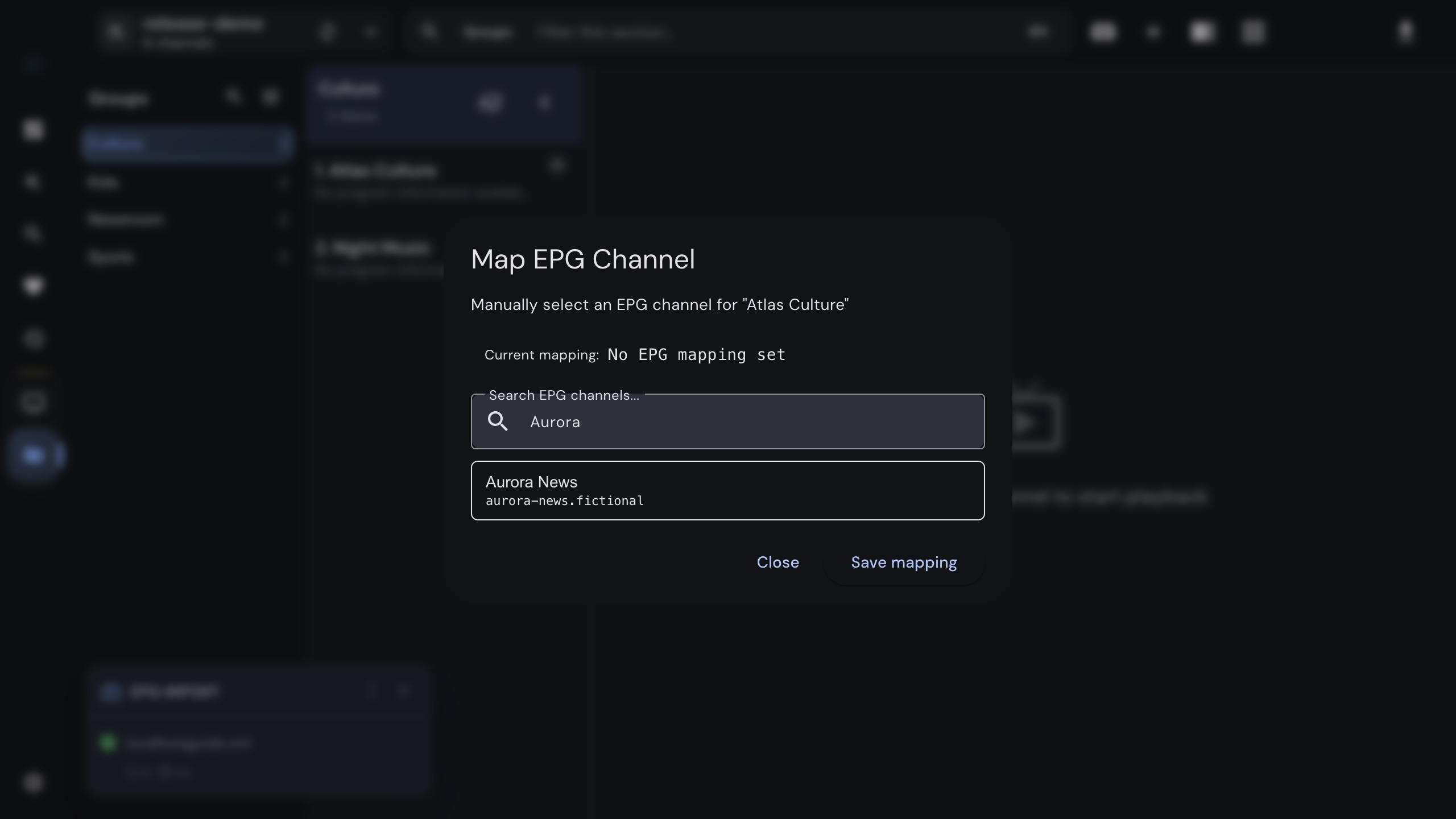
For the things a remote makes slow: adding a provider, trying a second one, searching a large catalog, mapping a channel to the right guide entry, checking why a stream fails, or downloading a film before a trip. Many people do the setup at the desk and the watching on the box.
Can I use my phone as a remote for the computer?+
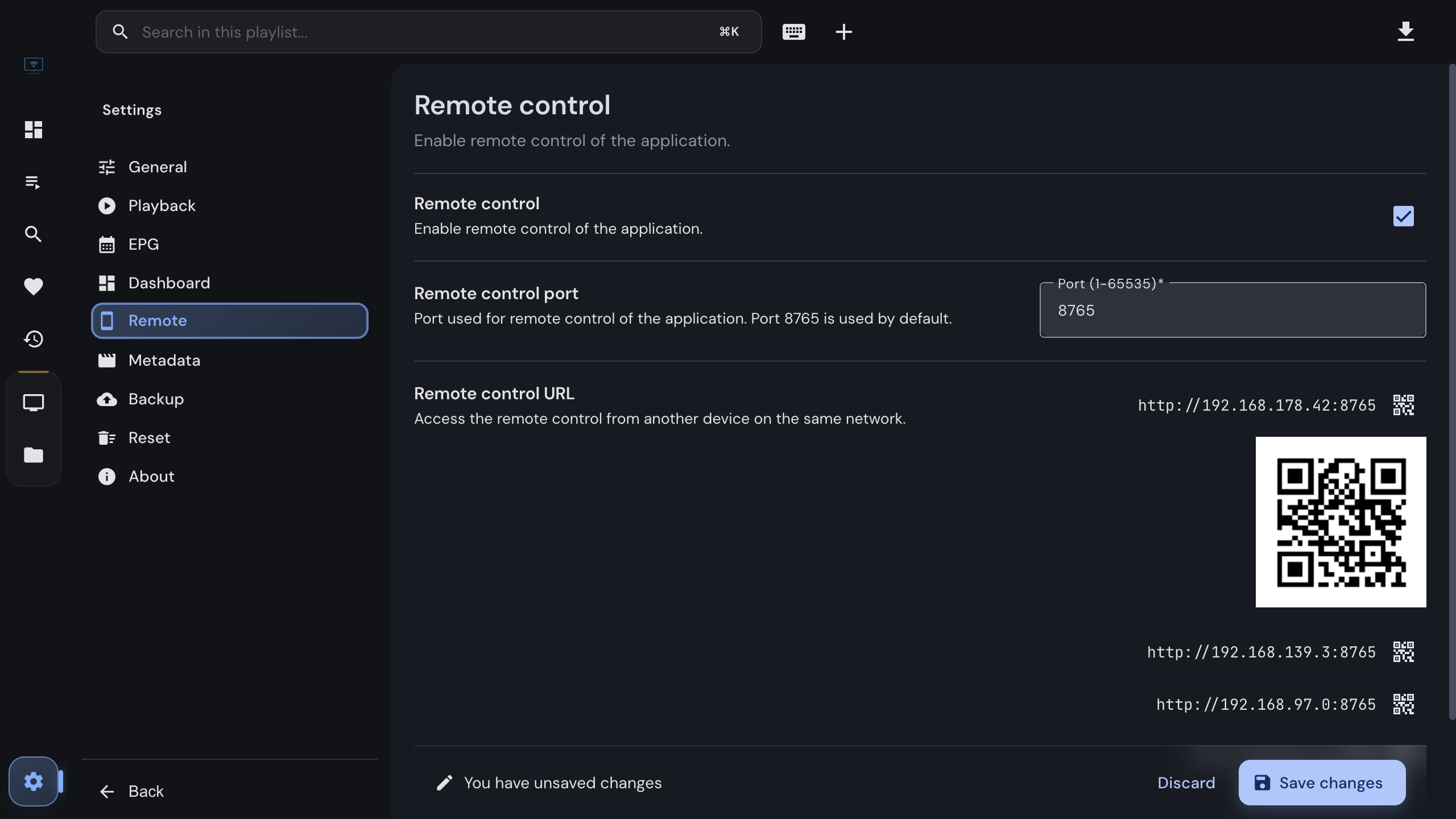
Yes. Enable the remote in Settings, scan the QR code with a phone on the same Wi-Fi, and the page gives you channel up and down, a number pad, volume for the built-in player, and the current programme. It is a web page, so nothing is installed.
Does IPTVnator run on a Raspberry Pi?+
Yes, on a Pi running a desktop Linux: arm64 and armv7l AppImage and .deb builds ship with every release. It is still the desktop app, with a desktop interface — a Pi behind the TV will want a keyboard, or the phone remote.
Is there a PC version of TiviMate?+
No. It is published for Android and Android TV, and there is no desktop build. Running it inside an Android emulator is not the same thing: you get a remote-driven interface in a window. On a computer the equivalent is a player built for a computer, and since TiviMate reads M3U links, Xtream Codes logins and Stalker portals, the same provider details work in IPTVnator without buying anything again.
Do all the TV apps lack a desktop version?+
No, and it is worth checking rather than assuming. IPTV Smarters, for example, publishes Windows and macOS builds next to its mobile ones. Look at the developer’s own page; the search results for these names are full of resellers who will tell you whatever sells a subscription.
If I switch app, do I have to buy my channels again?+
No. The subscription belongs to your provider, not to the player. Any app that speaks the same source type — an M3U link, an Xtream Codes login, a Stalker portal — can use the details you already have. The only real limit is how many streams your account allows at once.
Can I run the same subscription in both places?+
That is your provider’s decision, not the app’s. Accounts carry a maximum number of simultaneous connections, often one or two. The account dialog in IPTVnator shows the active and maximum connections for an Xtream account.
Which one is better for the programme guide?+
Both can show one. A computer is better at fixing one: when a channel shows the wrong schedule or every programme is off by hours, the desktop app lets you map the channel by hand or shift the guide’s clock, which a set-top app rarely offers.