
EPG Shows the Wrong Program or Nothing? Fix Channel Mapping and Time Offset in IPTVnator
When the program guide is empty for a channel, shows another channel's schedule, or is off by a few hours, the fix is one of three things. How IPTVnator matches guide data to channels, how to map a channel by hand, and how to correct the time offset without touching the guide.

The guide is loaded, most channels show what is on, and then one row says No program information available, another shows the schedule of a different station, and the evening news appears at two in the afternoon. All three are common, all three have one specific cause, and none of them needs a new playlist.
This post explains how IPTVnator decides which guide entry belongs to which channel, how to map a channel by hand when that decision goes wrong, and how to correct times that are off by a fixed amount. It applies to the desktop app on Windows, macOS and Linux, where XMLTV guides are downloaded and stored.
IPTVnator is a player, not a service
Which of the three problems you have
| What you see | Cause | Fix |
|---|---|---|
| No program information for one or a few channels | No guide entry could be attached to the channel | Map the channel by hand |
| A channel shows another channel’s schedule | The playlist’s id points at the wrong guide entry | Map the channel by hand |
| Every program is early or late by the same amount | The guide’s times carry the wrong timezone | Set the EPG time offset |
| Everything is empty | The guide did not load at all | Check the source in Settings › EPG |
The last case is covered in the M3U and EPG setup guide; this post is about the first three.
How a channel finds its guide entry
An XMLTV guide lists channels with an id and a display name, and programs that refer to the id. When the desktop app looks for the guide of a playlist channel, it tries, in this order:
- the playlist’s
tvg-idagainst the guide’s channel id, - the playlist’s
tvg-nameagainst the guide’s display names, - the channel name itself against the display names.
When the playlist carries ids from a different guide than the one you loaded, step one fails, and steps two and three only succeed when the names happen to be identical. “Aurora News HD” in the playlist and “Aurora News” in the guide are different names to the matcher. That is the empty row. A playlist whose ids are simply wrong gives the second symptom: the id exists in the guide, but belongs to another station.
Map a channel by hand
Attach a guide entry to a channel
- 1
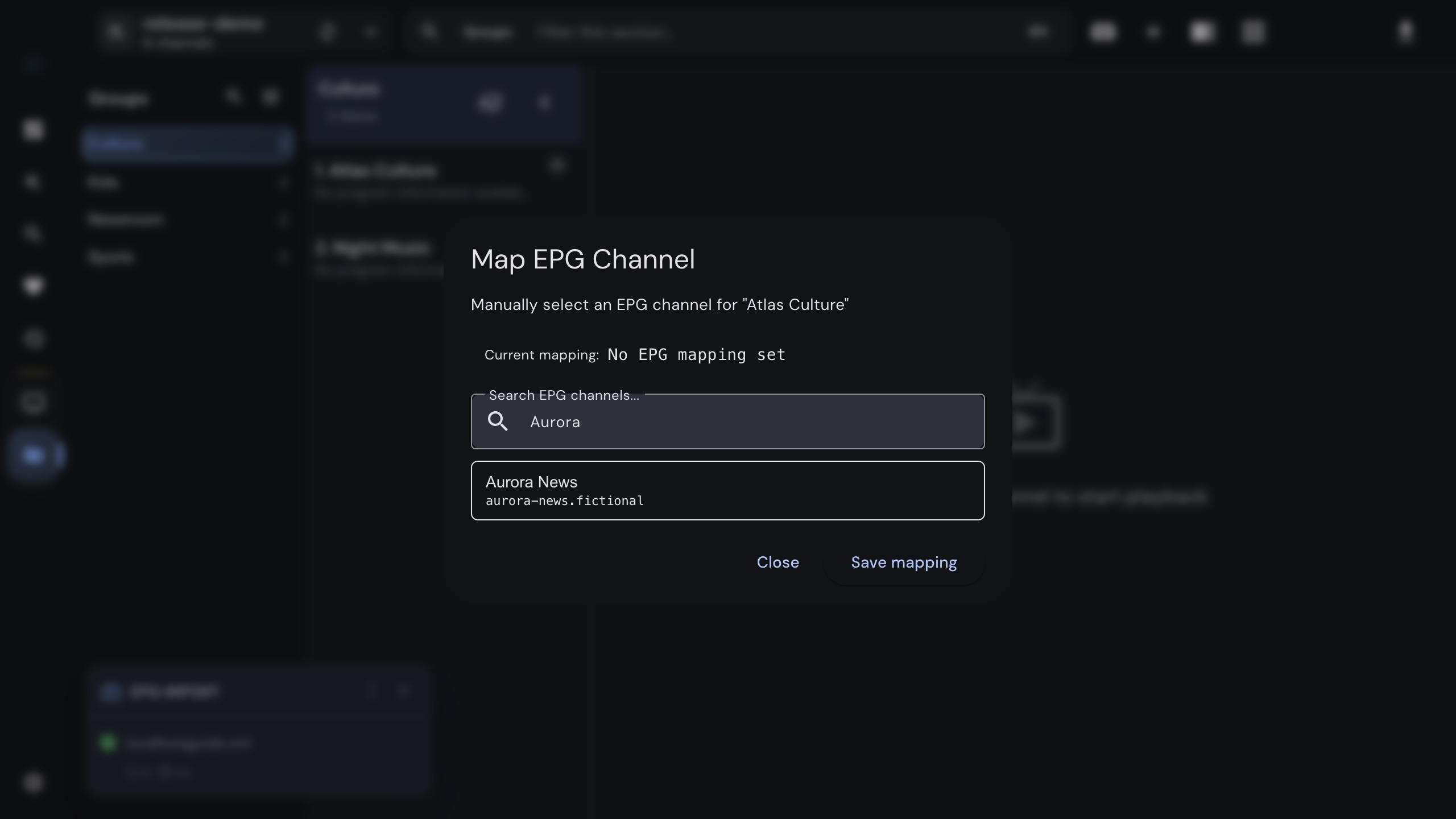
Right-click the channel in the channel list. The context menu works in the M3U player, in the live list of an Xtream or Stalker source, and in the global favorites.
- 2
Choose "Map EPG channel".
- 3
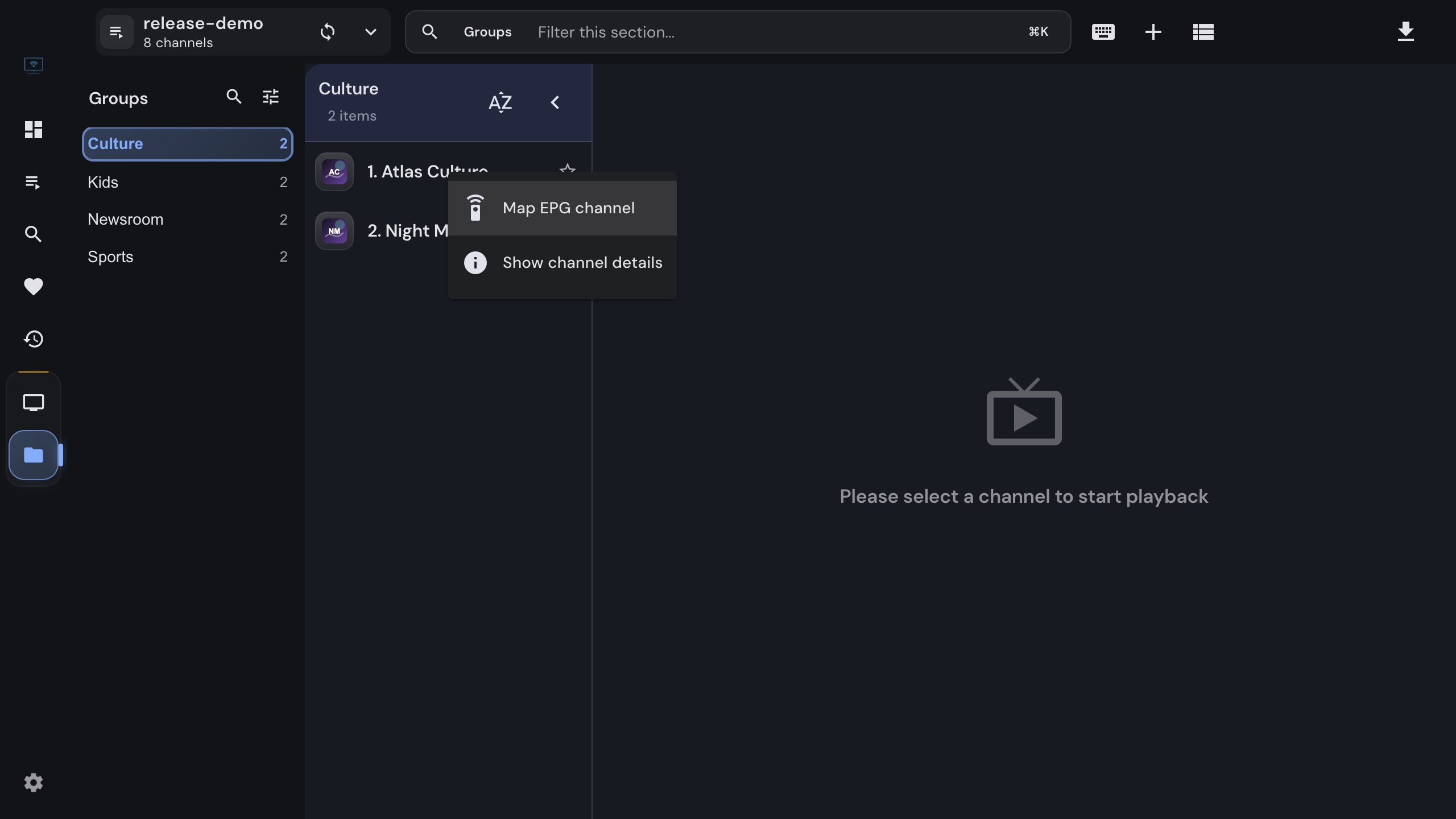
Type part of the station name. The dialog searches the channel names of every guide you loaded and lists the matches after two characters; each result also shows the guide id.
- 4
Pick the right entry and click "Save mapping". The row shows the current program right away.
A mapping belongs to the channel, not to the playlist file. Refreshing the playlist, refreshing the guide or restarting the app keeps it. Open the same dialog to change it; Remove mapping returns the channel to automatic matching.
Portals have their own guide
Xtream and Stalker sources receive program data from the provider and do not need an XMLTV file. Mapping is still available for them: it attaches an uploaded guide entry to a portal channel whose provider data is missing or wrong. For Xtream, the setting “Prefer your EPG sources for Xtream playlists” in Settings › EPG decides which guide wins when both exist.
Correct times that are off by hours
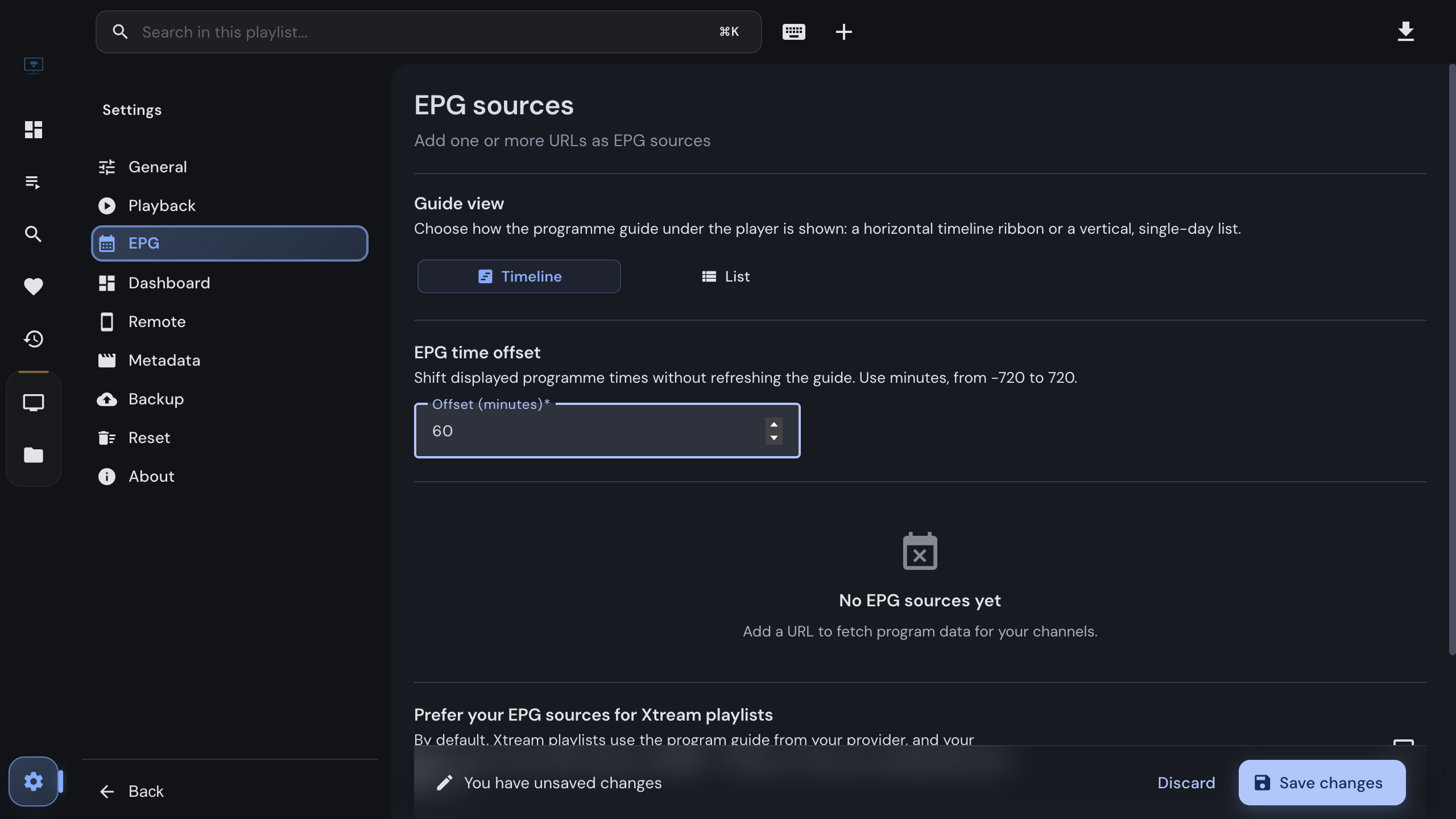
If every program is shifted by the same amount, the guide is fine and only its clock is not. Many providers label their XMLTV times with the wrong timezone, and a few servers run on a clock that is simply off. Open Settings › EPG › EPG time offset and enter the correction in minutes, from −720 to 720. The change applies immediately to every guide view, the channel list, the dashboard and the timeline, for every source.
Which sign to use:
- Programs appear too early (the news that starts at 20:00 is shown at 18:00): the guide is
behind; enter a positive value, here
120. - Programs appear too late: enter a negative value.
The offset changes only what you see. The guide stays stored as delivered, catch-up requests and recording snapshots keep the provider’s own times, and a refresh of the guide does not reset the setting.
Check it twice a year
A guide that carries the wrong timezone is usually wrong by a different amount after a daylight-saving change. If programs drift by an hour in spring or autumn, adjust the offset rather than the source.
When it is the source after all
Mapping and the offset fix a guide that is present but attached or timed wrongly. They cannot
fix a guide that does not carry the station at all. If the search in the mapping dialog finds
nothing sensible, the loaded XMLTV covers a different region or provider than your playlist.
Add a guide that matches the channels, or ask the provider for the URL of theirs; playlists
often carry it in the url-tvg attribute of the first line, and the desktop app offers to
import those automatically.
Related
Adding the guide source in the first place, and why a guide does not load.
What XMLTV is and what the guide can show.
Timeline, list view, multi-channel guide and catch-up in one place.
FAQ
Frequently asked questions
Why does one channel have no program information while the others do?+
The guide has no entry the app can attach to that channel. IPTVnator matches an XMLTV channel by the playlist's tvg-id, then by tvg-name, then by the channel name; when none of them matches an id or display name in the guide, the row stays empty. Map the channel by hand with a right-click and "Map EPG channel".
Where is the mapping stored, and does it survive a playlist refresh?+
On your device, in the local database of the desktop app, keyed by the channel, not by the playlist file. Refreshing the playlist or the guide keeps it. "Remove mapping" in the same dialog deletes it.
Every program is shown a few hours early or late. Is the guide broken?+
Usually the guide labels its times with a timezone that does not match the broadcast, or your provider's clock is off. Settings › EPG › EPG time offset shifts every displayed time by a number of minutes without refreshing the guide. Use a negative value when programs appear too late and a positive value when they appear too early.
Does the offset change catch-up or recordings?+
No. It only changes what is displayed. Catch-up requests, recording snapshots and the stored guide keep the provider's own times, so the offset can never break playback.
Can I map channels from an Xtream or Stalker portal?+
Yes, in the desktop app. Portals bring their own guide, but you can attach an uploaded XMLTV channel to any live channel by right-clicking it in the channel list. For Xtream sources, the setting "Prefer your EPG sources for Xtream playlists" makes the uploaded guide win over the provider's whenever both exist.
Does the browser version support mapping and the offset?+
No. Both belong to the desktop app, which is where XMLTV guides are downloaded and stored. The browser version shows the guide a portal provides and nothing else.
The mapping dialog finds no channels at all. Why?+
No guide is loaded yet, or the guide has not finished importing. Add the XMLTV source in Settings › EPG, fetch it, and wait for the import to finish before you search. The search needs at least two characters.
Comments
Comments are hosted in GitHub Discussions. Loading them contacts giscus.app and github.com; nothing is requested from them until you choose to.