
v0.25 - Release Notes
Host a shared library from desktop, browse a redesigned dashboard and movie and series pages, and hide selected categories behind a parental PIN.

IPTVnator v0.25 makes it easier to use the same library on another screen. Start a server from the desktop app, open the library in a browser on your home network, and choose what viewing activity to share. Back in the player, a redesigned dashboard and movie and series pages put the next thing to watch within reach. A new PIN lets you hide selected categories on a shared screen.
The changelog records 63 feature entries, 221 fixes and 32 performance improvements. Over the same development period, 47 GitHub issues were closed as completed.
Version
v0.25.0
Release date
November 8, 2026
Channels
Desktop · Self-hosted PWA
What changed
| Area | Change | Impact |
|---|---|---|
| Shared library | Host an IPTVnator server from desktop Settings, or connect clients to an existing self-hosted server. | Open the same sources on another device without adding them again |
| Browsing | A cinematic dashboard, redesigned movie and series pages, and a clearer episode list. | See what is on and pick up the right episode |
| Parental lock | Protect selected Xtream categories, Stalker genres and M3U groups with a PIN. | Keep those categories out of view on a shared screen |
About the screenshots
The screenshots show the real application with fictional catalog data and original artwork from the release mock server. IPTVnator is a player for sources you supply. The release cover is a generated illustration.
Host a shared library from desktop
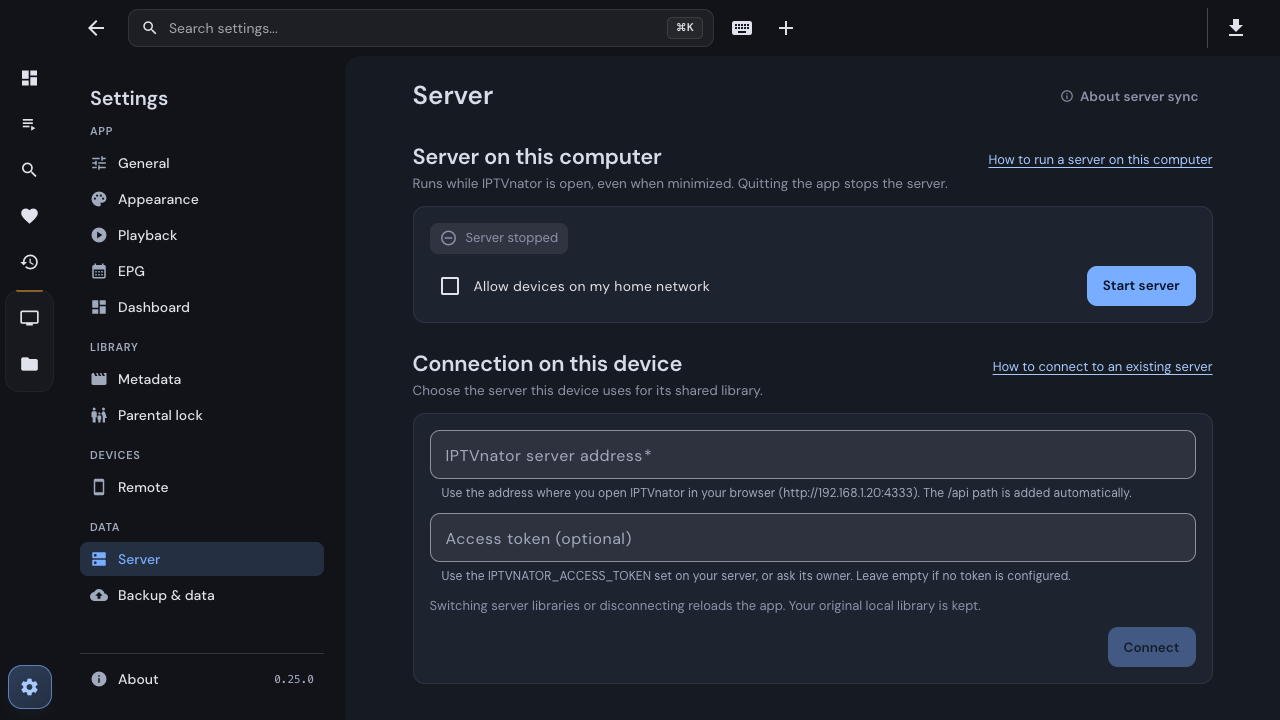
newOpen Settings → Server to start the built-in server. By default it stays on this device. If you turn on home-network access, open the address shown in Settings on another device and enter the access code there. If you already run a self-hosted IPTVnator server, you can connect desktop and browser clients to it instead.
Share your source definitions, including uploaded M3U playlists, and preview which local sources to import. Favorites, Recently Viewed, and movie and series watch progress have separate sync choices. Watch progress and watched marks sync for Xtream and Stalker. The dedicated TV client can use the server’s source library while keeping its viewing activity on the TV.
See the self-hosted server guide for setup and the differences between desktop hosting and Docker. Desktop hosting PR.
A new dashboard and detail pages
newThe dashboard rotates through things you were watching, favorite channels on air, and a selection of favorites and new arrivals. Hover, move keyboard focus onto the banner, or use its pause button to take your time. On movie and series pages, Continue tells you what will play next. Series also get a clearer episode list with runtimes, stills when available, and watched or in-progress markers. Alternate sources, external playback and reset actions stay in the detail menu.
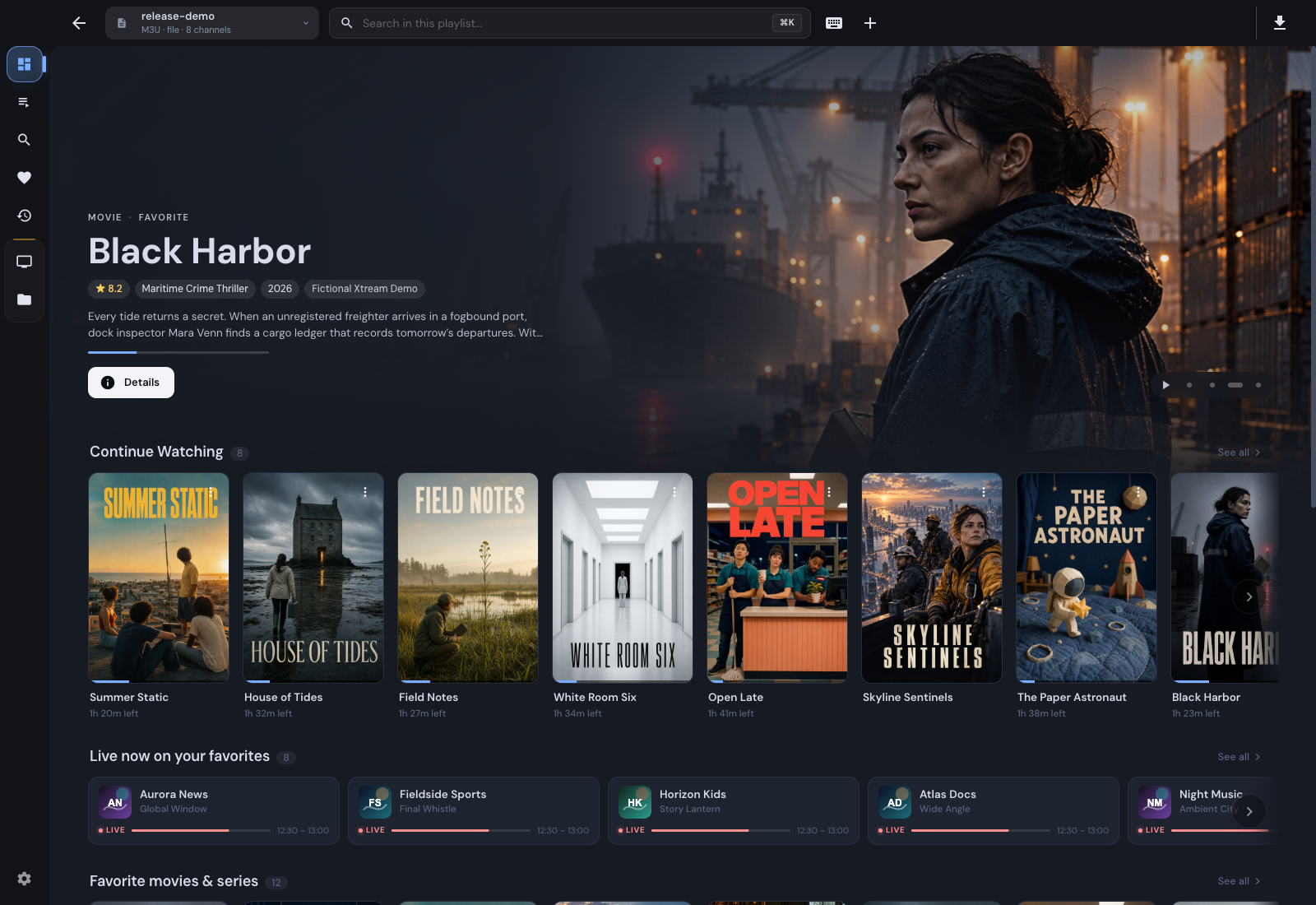
The dashboard brings Continue Watching and what is on now together.
Find a setting or change the look
improvedSettings groups options under App, Library, Devices and Data, with a separate Appearance section for themes, cover size and cover titles. Try Cream, Mocha, Night Owl or Black OLED alongside Light and Dark. The palette previews show what each theme looks like before you save; System follows your device.
Type an option name or a term like player in the Settings search box to jump to the right control. The command palette also finds settings from anywhere in the app.
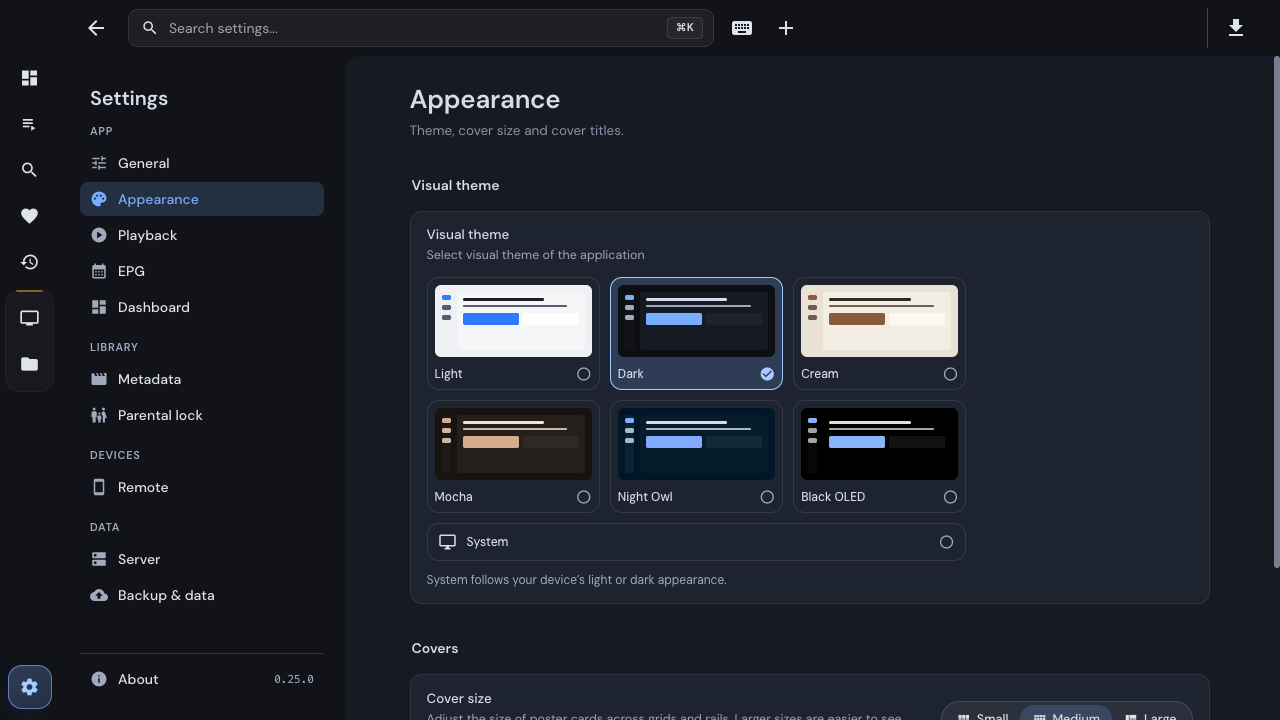
Appearance has its own section, with a preview for every theme.
Parental lock for shared screens
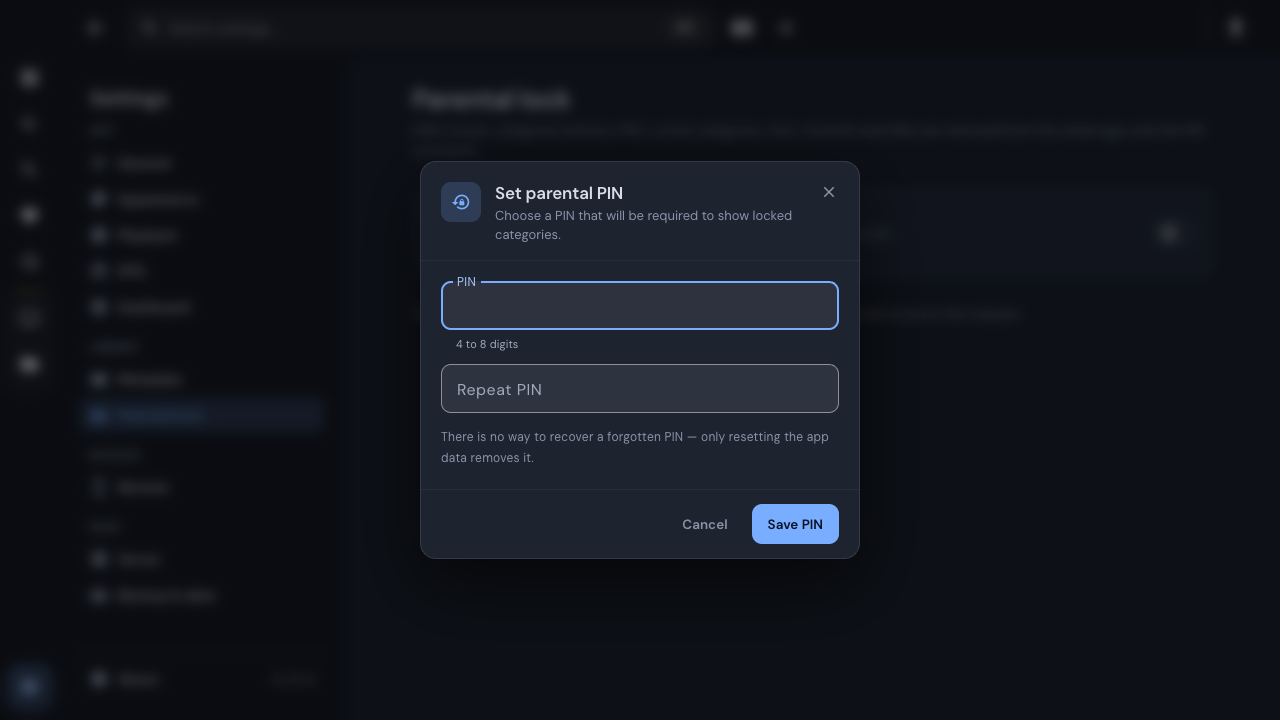
newSet a PIN in Settings → Parental lock, then choose which Xtream categories, Stalker genres or M3U groups to lock. While locked, those categories and their channels stay out of view. A title can still appear if it also exists in an unlocked source. The app can lock on restart or after idle time; you can also choose Lock now.
Playback, Live TV and imports
improved- Player controls. The built-in player has a redesigned control dock. Audio, subtitles, quality and speed are grouped in one panel. An Up Next card appears near the end of supported episodes, and Embedded MPV keeps subtitles off when you switch live channels after choosing Off.
- Programme guide in the browser. Self-hosted browser and Docker users can see provider-supplied Xtream and Stalker listings. M3U XMLTV is a desktop feature; desktop now also accepts XZ-compressed guide files and URLs.
- Choose which Xtream catalogs to load. Desktop can import Live TV, Movies and Series independently. Disabling a catalog preserves saved items, progress and downloads.
- More reliable backups. Restore preserves hidden M3U groups and can retry failed category restoration. Damaged archives are rejected before the app writes any data.
- Less work in the background. The app updates screens when the data they display changes. The release also reduces guide rendering work and improves lookup for large EPG libraries.
Experimental TV apps
newThere are two ways to try IPTVnator with a TV remote. The dedicated LG webOS and Samsung Tizen client can browse M3U, Xtream and Stalker sources and accepts phone setup by QR code. The Fire TV and Android TV shell packages the browser app and a local backend in an APK and can hand an incompatible stream off to an installed player. Both paths are experimental and have separate installation steps. Selected flows were verified on LG BX; Samsung device playback is still awaiting validation. See the TV client and Fire TV and Android TV guides.
See the full list of changes
The full changelog lists every feature, fix and performance entry, with links to the relevant changes and issues.
Before updating
Export a backup of your playlists and viewing data before upgrading. If this is your first time connecting to a server, review the proposed source and activity imports before confirming them.
Thanks
Thanks to everyone who tested nightly builds, reported playback and upgrade problems, translated the app and helped others in the Telegram community. Thanks also to the people supporting the project through GitHub Sponsors and Ko-fi.
Download
Comments
Comments are hosted in GitHub Discussions. Loading them contacts giscus.app and github.com; nothing is requested from them until you choose to.