
v0.23 - Release Notes
A download manager with an offline library and Live-TV recordings, new default player controls, alternative sources for movies, and catalogs that scroll without pages.

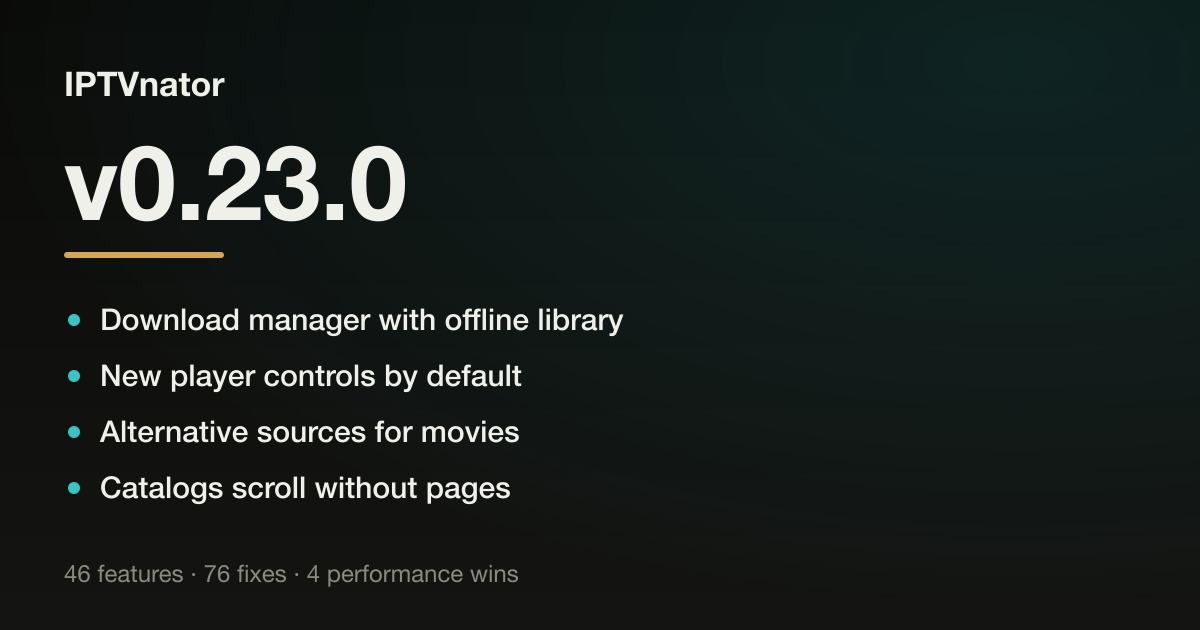
IPTVnator v0.23 is out — and by change count it’s the largest release the project has shipped.
v0.23 is about watching on your own terms. Movies and episodes can now leave the stream behind: a full download manager keeps an offline library, records live TV, and survives flaky providers by pausing, resuming and reconnecting on its own. When you do stream, the built-in players finally share one set of controls — quality selection, external subtitles, picture-in-picture — turned on by default, and a film that exists in several of your playlists offers its alternative sources right where playback fails. Around all of that, browsing got calmer: catalogs scroll endlessly instead of flipping pages, series open on the season you would actually continue, and Stalker portals authenticate, recover and explain themselves far more like real set-top boxes do.
Version
v0.23.0
Release date
August 30, 2026
Channels
Desktop · PWA
What changed
| Area | Change | Impact |
|---|---|---|
| Downloads | A full download manager with an offline library, pause/resume, automatic reconnects, season downloads and Live-TV recordings. | Watch without a stream |
| Player controls | One control bar shared by the built-in players — quality, external subtitles, picture-in-picture — now on by default. | The same controls everywhere |
| Alternative sources | A movie found in several playlists offers its other copies — mid-film, pinned, or right on the error screen. | Dead streams stop being dead ends |
| Catalogs | Xtream and Stalker catalogs load continuously as you scroll. Pagination is gone from the app. | Calmer browsing |
| Stalker portals | Login/password portals, endpoint discovery, MAC checks, an account info dialog and a long list of compatibility fixes. | Behaves like a real set-top box |
| Series & dashboard | Series open on the season you would continue, seasons can be marked watched, metadata chips are clickable, and the dashboard recommends from your history. | Fewer clicks to resume |
| Settings & import | Settings became separate pages with a save bar, playlists can be auto-detected from pasted text, and .m3u files open from the file manager. | Fewer lost edits, easier setup |
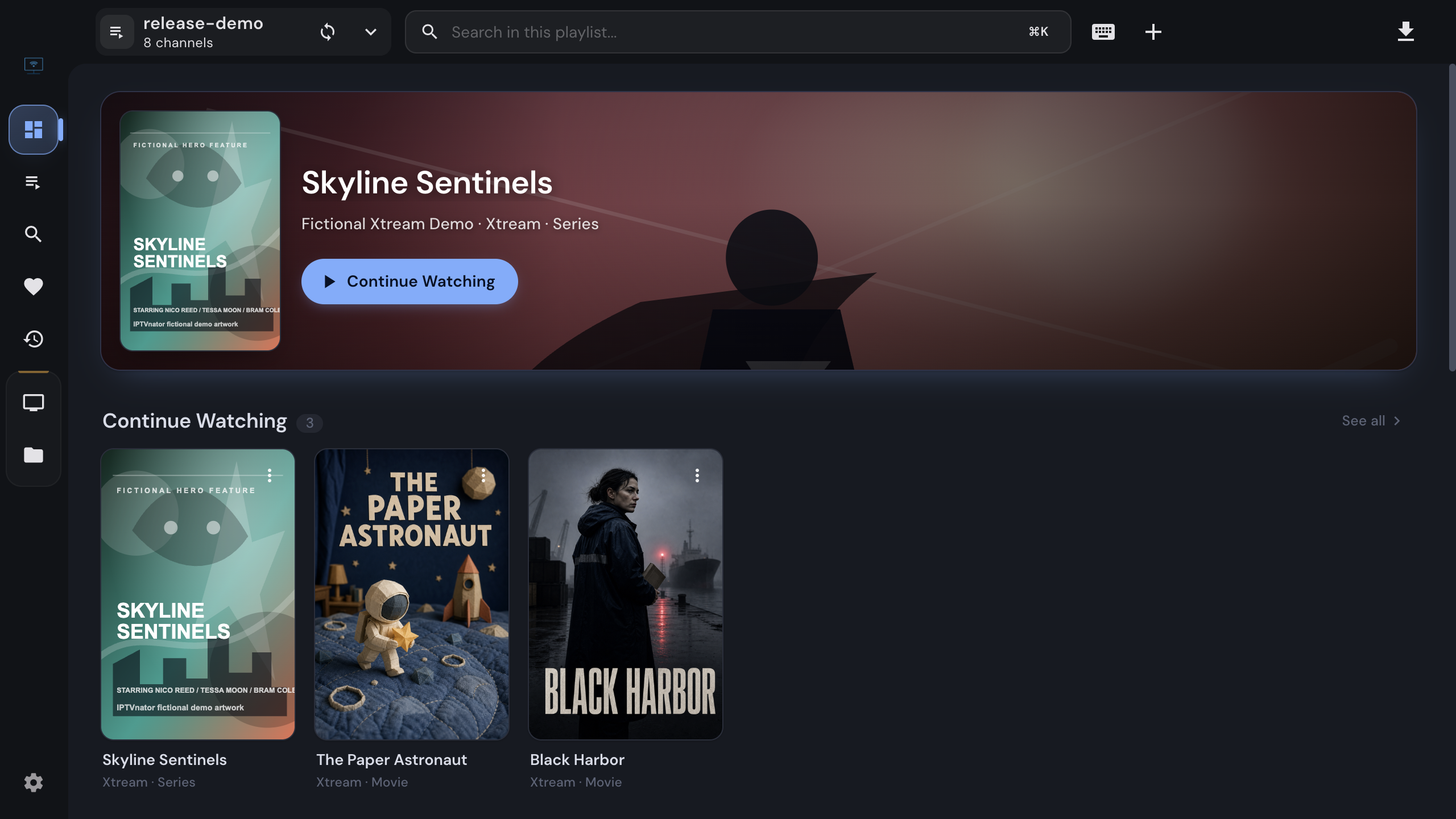
The dashboard — Continue Watching now opens details, and source cards warn before a subscription lapses.
About the screenshots
The screenshots and posters shown here come from the project’s own mock servers with fictional catalog data. IPTVnator is a pure media player — it does not provide, host, bundle, or distribute any streams, playlists, or media content. You bring your own sources; the app just plays them.
Download manager with offline library
newThe download manager grew from a queue into a proper offline library. Active transfers sit at the top; everything already fetched is grouped below into compact poster cards — movies, series with their episodes, and now Live-TV recordings. A card opens a focused offline detail with the metadata saved at download time; play, show-in-folder and remove live in the poster’s ⋮ menu. A file that goes missing moves to Needs attention with a one-click Download again, and View in portal jumps back to provider playback whenever the source can still be reached.
Transfers are far more resilient too:
- Pause and resume. A paused download continues from where it stopped, and downloads cut short by a crash or a closed app come back paused rather than lost.
- Automatic reconnects. Providers that drop long connections used to kill downloads with a bare “aborted”. The app now reconnects and continues — even on servers that send no ETag or Last-Modified, by verifying a 256 KiB overlap against the saved partial first. Xtream downloads also carry the playlist’s User-Agent and Referer, so providers that check them no longer refuse the file.
- Season downloads. Queue several episodes at once or every available episode of a season; anything already queued, paused or downloaded is skipped.
- Live-TV recordings made with the Embedded MPV player appear as an in-progress row with a Stop button, then land in a Recordings library with channel logos and the programmes captured from the EPG at recording time. A recording interrupted by a crash survives as a playable partial.
Desktop only. Tracked across #1313, #1448, #1452, #1357, #1446 and #1329, closing #897 and #1289.
New player controls by default
newThe HTML5, Video.js and ArtPlayer players now share one control bar that looks and behaves the same in all three — and it is on by default:
- Quality menu. Pin multi-bitrate HLS and DASH streams to a rendition (“1080p”, “720p”, …) or leave them on Auto. It appears only when the stream offers more than one quality.
- Subtitles, properly. Load external
.srt/.vttfiles (.asstoo in Embedded MPV), nudge the timing in ±0.5 s steps, and set the text size and colour, which persist across sessions and engines. - Picture-in-picture, playback speed, and — in fullscreen — the name of what you are watching.
- Touch-friendly. Tapping the video shows or hides the controls instead of pausing, and narrow players reflow into two rows.
Prefer the old look? Switch back under Settings → Playback; each player then keeps its own controls exactly as before. Embedded MPV and external MPV/VLC are unaffected.
Around the inline player on movie and series pages, the video now fills the whole content area like a theater — centred on black, with an optional ambient mode that fills the leftover with a blurred copy of the poster — and a series playing on a wide window shows an Up Next rail with the rest of the season and watch progress on every card. Both are for the built-in web players and can be switched off under Settings → Playback.
Shipped in #1485 (closing #1408), #1470, #1471 and #1263.
Alternative sources for movies
newIf the same film sits in more than one of your Xtream playlists, its detail page now shows a Sources chip. Open it to see every copy the app found, switch playlist mid-film and keep the timecode, or pin a preferred source so Play always starts from it. When a stream dies, the error screen offers the alternatives instead of a dead end, and an optional auto-switch (off by default) can jump to the next working copy on its own.
The popover always fits on screen, gets All / Available / HD+ / language filters — Available checks every source once and remembers the result — and reads language tags in the forms providers actually use (“EN │ …”, “[EN] …”, “РУС | …”, MULTI, or category names like “EN | Netflix”). Short titles such as AKA or RRR are no longer mistaken for a tag.
Desktop only, Xtream movies for now. Shipped in #1286, refined in #1359, #1417 and #1426.
Catalogs scroll without pages
newPagination is gone from the app entirely. Xtream movie, series and live catalogs load more items as you approach the bottom, taller windows fill themselves on open, and opening a title and going back returns you to the exact spot in the list. In-category search and the in-portal search results follow the same continuous style.
Stalker catalogs do the same on top of the portal’s own paging: pages append into one seamless list, a failed page keeps what is loaded and offers a retry, and portal search can finally page past its first hundred results. The Live TV “all channels” grid follows suit.
Movies, series and the dashboard
improved- Series open on the season you would actually continue — the earliest with unwatched episodes, or the latest once everything is watched — and Continue Watching resumes the exact episode at its saved position, MPV/VLC launches included (#1469, #1263, closes #1441).
- Mark a season watched with the button next to Download season, or the whole series from the ⋮ menu in the season header; Ministra portals fetch the remaining seasons first (#1447, #1451, closes #1442).
- Year, genre and country chips are clickable with TMDB on: each opens a Discover page of popular titles for that facet, marked with what is already in your library (#1453, closes #1449).
- “View in portal” on details opened from the dashboard, global collections or a portal’s favorites/recent tabs jumps to the title inside its own portal (#1422).
- M3U movie files open in the same detail view the portals use, with plot, cast, rating and artwork from TMDB below the player (#1420).
- Series show whether they have ended or are still returning, directors and creators are clickable chips, and the cast covers the whole show rather than only its newest season (#1263, #1242).
- More titles get metadata: names with language or quality tags — “|ALB| Fallout”, “4K-DE - The Pitt (2025)” — now match TMDB, and a provider’s dead or wrong TMDB id is weighed against the title and year instead of trusted blindly (#1263, #1239).
- Dashboard. Continue Watching cards open the detail page on click; resume, Mark as Watched and Remove from history moved to a ⋮ menu (#1469). A Because you watched rail recommends titles from your history that exist in your libraries (desktop, TMDB required — #1419), and source cards warn a week before a portal subscription expires (#1342).
- Settings → Metadata (TMDB) shows the cache size with a button to empty it (#1244).
Xtream
improved- Portals behind Cloudflare or a similar firewall connect again — requests now identify themselves the way an ordinary IPTV player does, so “Test connection” no longer gets a challenge page (#1263).
- Refreshing a source keeps your favorites, history, hidden categories and playback positions; starting the same refresh twice used to wipe them (#1431).
- Catch-up from Favorites and Recent, the current programme can be restarted from the beginning, and channels with catch-up show an archive badge everywhere they appear (#1263, #1341, closes #1138 and #1128).
- Movies stay playable when the portal omits extended VOD metadata (#1303), and a season “description” that is just a cover URL is dropped or filled from TMDB (#1382).
- Backups carry hidden categories correctly (#1263, closes #1017).
Stalker portals
improvedThe biggest under-the-hood effort of this release. IPTVnator now treats a Stalker/Ministra portal the way a real MAG box does — from the first probe to the last stream header — and a long tail of “works in every other player” reports is closed as a result.
- Portals that ask for a login and password work. The import dialog gained username/password fields and completes the portal’s
do_authstep; a refusal shows the portal’s own explanation, saved sessions resume without re-authenticating, and the keep-alive ping follows the portal’s cadence (#1354). - Setup discovers the real endpoint instead of guessing from the URL: paste a bare host or a
/caddress and the app probesportal.phpversusserver/load.phpand checks whether authentication is required. Canonical Ministra URLs finally load content, misclassified portals repair themselves on their first failure, and edited connection details are rechecked before they are saved (#1344, #1391, closes #850, #686 and #755). - MAC address help. Hyphens and lowercase are fixed as you type, device IDs can be derived from the MAC the way StbEmu does, and a portal that has a different device ID on file now says so instead of reporting “damaged hardware” (#1370, closes #927 and #860).
- Account info dialog — subscription status, tariff, expiry with a days-left counter — from the playlist menu, the source card or the command palette (#1330).
- Live TV loads the full channel list up front: search covers every channel, genres show counts, Live TV opens on a grid of all channels, and the currently airing programme shows even where the bulk EPG lists only upcoming shows (#1263, #1386).
- Sessions survive redirects to https or another port, which since 0.22 silently dropped the MAC cookie and token so nothing loaded (#1322, closes #1158).
- Streams that need the portal session play in the built-in players — not only VLC and MPV — for live TV, VOD, series and radio, and MPV no longer truncates the MAG user agent at its comma, so strict portals that answered HTTP 400 accept the stream (#1335, #1321, #1323, closes #849, #910 and #732).
- Commands are sent exactly as a set-top box sends them: no double-encoded
cmd, directly served channels start without an extra link request, and a proxy’s “Access denied” page no longer gets a portal reclassified (#1334, #1364, #1358).
Live TV, EPG and M3U
improved- Map EPG channels by hand. Right-click a channel in any list, pick Map EPG channel and attach it to a channel from your XMLTV guide; the mapping is used everywhere the guide is read (#1263).
- MPEG-DASH channels play in the built-in player, ClearKey-encrypted ones included via the playlist’s
#KODIPROPlines. Widevine and PlayReady still cannot play, but now say so (#1263, closes #86, #614, #656, #733 and #752). - A new setting drops the country prefix from live channel names — “UK - BBC One” becomes “BBC One” — while names that only look like a prefix, such as “Sky - Sports F1”, stay intact (#1263).
- Channel rows stack favorite and programme-info buttons vertically, and the programme-info button reaches the Xtream and Stalker sidebars (#1341).
- The mobile remote works in favorites and recently viewed for M3U, Xtream and Stalker, and no longer shows a channel as playing after you leave the player (#1399).
- The User-Agent, Referer and Origin saved on an M3U playlist now reach MPV, VLC and embedded MPV (#1397, closes #1221).
- Favorites stop losing changes: drag-and-drop order is saved again, and two entries added at almost the same moment no longer overwrite each other (#1263, closes #1137).
Settings, import and the desktop app
improved- Settings are separate pages with shareable URLs and a floating Save/Discard bar. Leaving with pending edits — by navigation, closing the window, quitting or reloading — asks whether to save, discard or keep editing (#1384, #1394).
- Auto-detect import. Paste whatever your provider sent you — links, Xtream credentials, a MAC with device IDs — and the Add playlist dialog prefills the matching form. Nothing you paste leaves the app (#1445).
- .m3u and .m3u8 files open from the file manager. IPTVnator registers as a handler with the OS, and opening a playlist from the command line or by double-click actually imports it — previously nothing happened at all (#1299, #1301).
- A second launch brings the running window to the front instead of starting a rival copy that could not save anything — the usual reason settings appeared to reset on restart (#1272, closes #1156 and #102).
- Usable on a phone again: the navigation bar stays on screen, lists take the full width, and the categories panel became a slide-in drawer (#1326, #1332, closes #1100).
- Embedded MPV gains an experimental frame-copy engine that draws the video inside the app window, so menus, dialogs and controls stop being swallowed by the picture (macOS Apple Silicon, Windows and Linux x64; needs a restart — #1263).
- IPTVnator speaks Hungarian, its 19th language, contributed by @htibcsike (#1263, closes #1192); desktop builds run on Electron 43 with native rounded corners on Linux (#1414).
Playback
fixedPlayback errors got a rework. Instead of guessing “unsupported codec”, the built-in players report what the engine actually saw — an HTTP 404, a timeout, a failed segment — and rank useful next steps: another built-in player, MPV or VLC, Retry, or another source. Trying a recommendation never changes your saved player, and provider URLs and credentials stay out of the technical details (#1374, #1314, #1316, #1317, #1318, #1327, closes #1159).
- Keyboard shortcuts work with the classic controls too: Space/K, F, ←/→, ↑/↓ and M, as the in-app shortcut list already promised (#1398).
- The screen no longer sleeps while a built-in player plays video, Linux included; radio deliberately leaves the display free (#1405, closes #1095).
- The “Show subtitles” setting finally works in all built-in players and on portal pages (#1269, closes #1155).
- Video.js shows its control bar on live channels again (#1385), and switching the video player takes effect immediately on a playing stream (#1437).
Self-hosted web version
improved- Behind VPN containers like Gluetun, provider connections get enough time to fall back from an unreachable IPv6 route to IPv4 instead of failing with “Bad Gateway”, and errors name the network code (#1404, closes #1400).
- The PWA talks to Stalker portals exactly like the desktop app — MAG User-Agent, full STB cookie, serial header — so portals that only worked on desktop work in the browser, and credentials no longer travel in the request URL (#1348).
- A provider that goes silent after accepting a connection now times out on the desktop schedule instead of hanging until the OS gives up (#1424).
Performance
improved- Dead portals stop costing 30 seconds per request. After two unanswered requests a host fails immediately for 30 seconds; retrying or editing the address contacts it again right away (#1421).
- One unreachable playlist no longer holds up the rest: refreshes give up after 30 seconds, run a few at a time, and the startup message names how many failed (#1263, closes #931).
- Large M3U imports are faster (#1232), and cancelling a large M3U refresh or Xtream import stops the background work at once (#1268, #1295).
- Stalker detail pages for non-series items no longer fire an episode-list request first (#1263).
Everything else
That is the part worth reading in one sitting. The rest of the release — another forty-odd fixes across the dashboard, search, Stalker, playback and the desktop shell — is below, one line each.
Show the remaining fixes
Dashboard and metadata
- The dashboard hero shows the same backdrop as the detail page, and its lookup uses the release year and original title, so titles TMDB knows more than once (“Холод”) no longer come up empty (#1362).
- Titles you have opened before show artwork, rating and genres far more reliably and seed the recommendations rail — the dashboard reuses what the detail page already matched instead of searching by bare title (#1423).
- Trending cards, the Similar rail and actor filmographies no longer mark a title as missing when your playlists hold several versions of it, such as “Dune 1984” and “Dune 2021” (#1425).
- Greek titles match regardless of which sigma the provider typed (#1310).
- Importing an Xtream backup restores all preferred VOD sources together, and a failed restore stays retryable (#1311).
Search
- The search box no longer loses what you are typing when the page updates its address at the same moment (#1432).
- Names with punctuation — “A&E”, “X-Men”, “L’Equipe” — are found anywhere in a title, including provider-prefixed channels like “US: A&E” (#1263, closes #1161).
- Typing a space in the portal search box and pausing no longer deletes it (#1474, closes #1338).
Stalker
- Series opened from Favorites, Recent or the dashboard refresh their episode list from the portal instead of forever showing the episodes saved at the time (#1263).
- VOD series report progress correctly when portals return boolean series flags, keep episode progress separate between shows, and resume positions saved by earlier versions (#1315).
- Going back from a title reached with “View in portal” returns to the same favorites or history tab with the title still open, instead of dropping you on Live TV (#1435).
Playback and players
- Old error actions disappear as soon as a new source or player starts, and recovery no longer crosses into a different channel, movie or episode when you switch content while a stream is still resolving (#1374).
- DASH playback resets a failed media buffer before switching variants (#1411), and MPEG-TS is more reliable on newer Safari versions (#1412).
- MPV and VLC recovery actions stay available, show precise opening/started/playing/failure feedback and never launch twice (#1388).
- Embedded MPV menus unfold inside the control bar instead of shifting the video, the video is sized correctly on displays scaled above 100%, and it snaps back into its frame after layout shifts such as the sidebar finishing to load (#1339, #1476, closes #1139, #1145 and #1428).
Playlists and EPG
- Pluto TV-style playlists with a session token in every link import in full again instead of collapsing into one channel (#1263, closes #1189).
- A database hiccup while looking up, saving or searching a manual EPG mapping degrades quietly instead of taking down the EPG panel or the mapping dialog (#1279, #1291).
- Narrow EPG channel rows keep the current programme, progress and channel actions visible (#1312).
Desktop app and shell
- Windows: the minimize, maximize and close buttons reappear after leaving fullscreen video instead of vanishing until the next restart (#1178).
- Confirmation dialogs are wider, so their buttons sit side by side even with longer translated labels (#1448).
- The header playlist dropdown shows “Playlist info” for the active playlist again (#1328).
- The playlist sync overlay says whether it is fetching from the provider or reading the saved catalog from this device (#1345).
- Translations across the app are clearer and more consistent (#1390).
- Snap packages launch correctly with the desktop runtime scripts their startup command requires (#1406).
- Updated SQLite bindings avoid a crash during database worker shutdown (#1415), and SQLite trace logs record only statement types, never playlist credentials (#1315).
- The desktop remote-control server blocks crafted paths from escaping the bundled web files on Windows (#1267).
- A self-hosted backend started without
CLIENT_URLallows the documentedhttp://localhost:4333origin instead of the retired demo URL, so a manual deployment no longer fails every request with a CORS error (cb37f62).
Before updating
Please back up your playlists, credentials, URLs, and other important data before installing a new release. There are no breaking schema migrations in v0.23 — new tables and columns are added automatically on first launch — but it’s a good habit.
Thanks
This release is shaped by the Telegram group, GitHub issues, and the people who keep the project sustainable. Thank you to everyone who sponsored or donated — it’s a small group, and it’s the reason this project gets real time rather than spare minutes — and to everyone who tested builds against their own portals, reported the “works in every other player” cases that make up half of this changelog, contributed translations, or answered other people’s questions. 💙
If IPTVnator is useful to you, the easiest way to keep it moving is GitHub Sponsors or Ko-fi.
Download
Comments
Comments are hosted in GitHub Discussions. Loading them contacts giscus.app and github.com; nothing is requested from them until you choose to.