
v0.22 - Release Notes
IPTVnator v0.22 brings opt-in TMDB metadata enrichment, redesigned two-state movie & series pages, embedded MPV on Windows and Linux, a built-in desktop auto-updater, global search across all sources, and a reworked live EPG timeline.

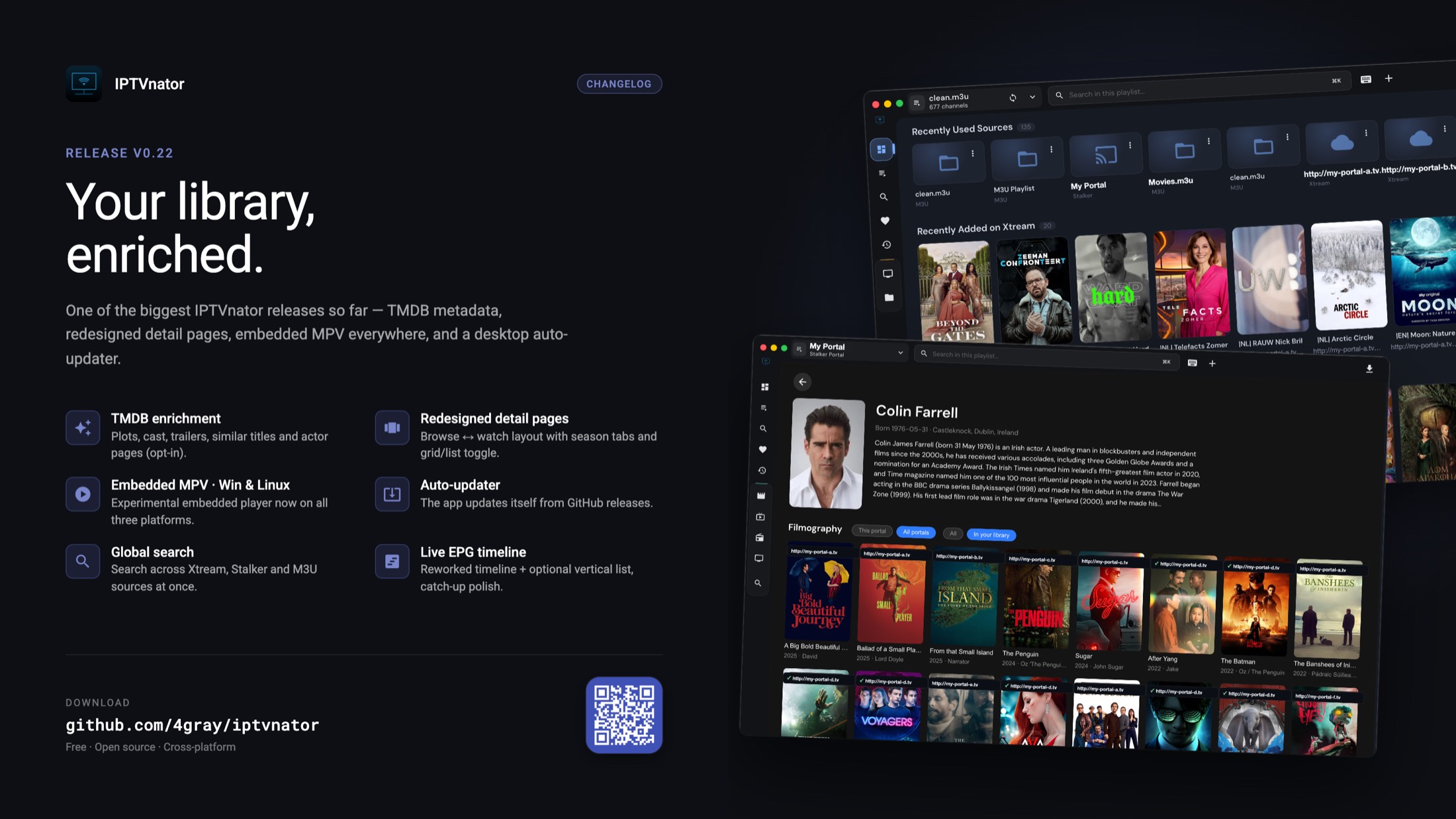
IPTVnator v0.22 is out — and it’s a big one.
Where v0.21 was about smoothing the rough edges, v0.22 is about making your library feel richer and the app feel more complete. Movie and series pages now pull in TMDB metadata — posters, cast, trailers, actor pages — and got a full two-state redesign. The embedded MPV player that landed on macOS last release now runs on Windows and Linux too. And the desktop app finally updates itself, so no more hunting for the latest download.
Version
v0.22.0
Release date
July 5, 2026
Channels
Desktop · PWA
Support the project
If IPTVnator is useful to you and you’d like to keep it moving, the easiest way to help is via:
- GitHub Sponsors — github.com/sponsors/4gray
- Ko-fi — ko-fi.com/4gray
A genuine thank-you to everyone who has sponsored or sent a tip — it’s a small group, but it’s the reason this project keeps getting real time and not just spare minutes. It’s honestly motivating. 🙏
Support continued development.
One-time tip jar.
Where most of this feedback comes from.
What changed
| Area | Change | Impact |
|---|---|---|
| Content metadata | Opt-in TMDB enrichment for Xtream & Stalker: plots, cast, trailers, similar titles and clickable actor pages. | Detail pages that actually tell you what you’re about to watch |
| Detail pages | Redesigned two-state layout — browse the poster/metadata, then collapse into a full-width inline player. | Cleaner browsing, distraction-free watching |
| Playback | Embedded MPV player expands from macOS to Windows (bundled libmpv) and Linux (system mpv). | MPV-quality playback on every desktop platform |
| Updates | Built-in desktop auto-updater pulls new releases from GitHub. | No more manual re-downloading |
| Search & EPG | Global search across all sources, plus the live EPG reworked into a horizontal timeline. | Find anything fast, scan the schedule at a glance |
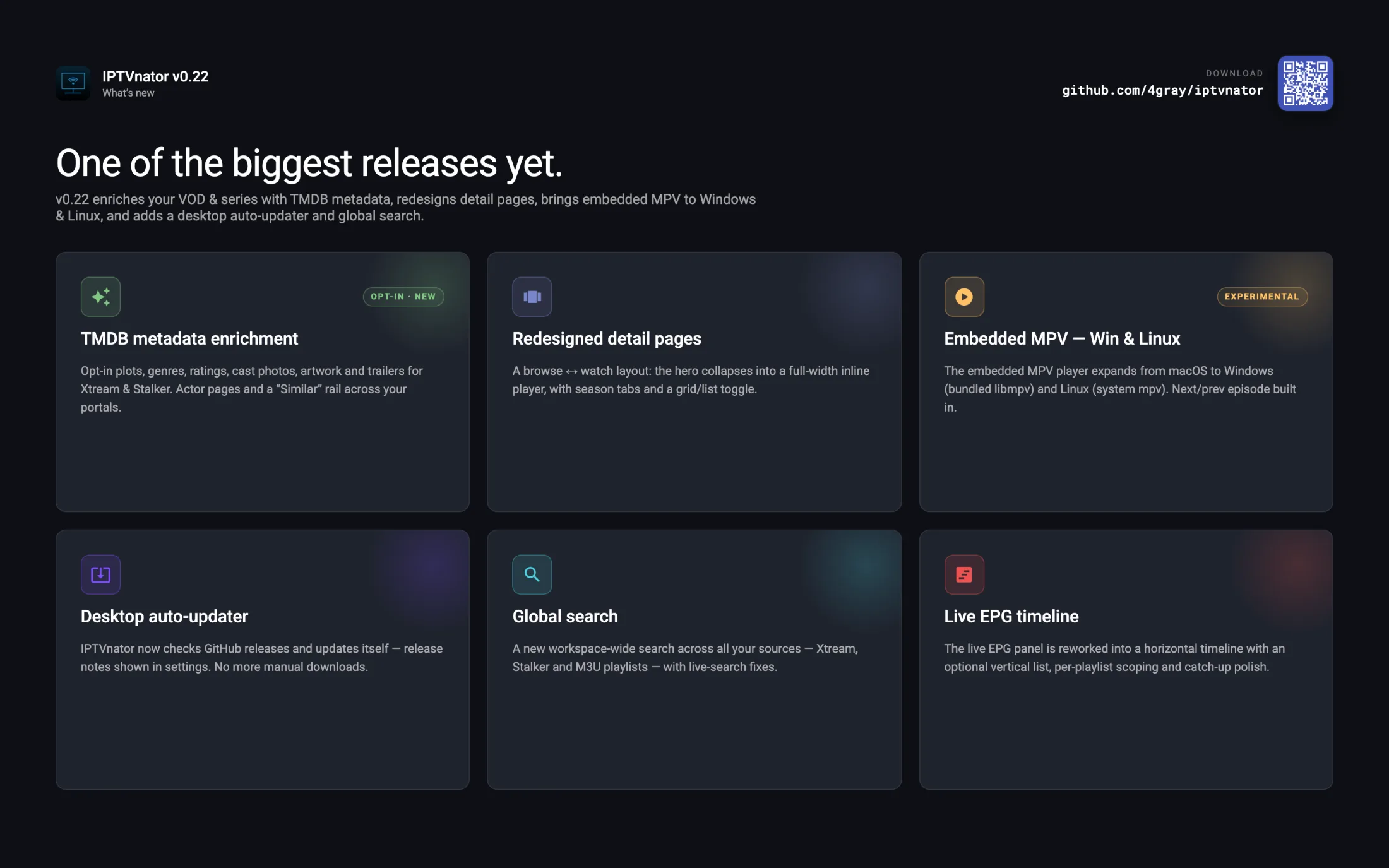
A quick tour of what changed in this release.
About the screenshots
The screenshots and posters shown here are for demonstration purposes only. IPTVnator is a pure media player — it does not provide, host, bundle, or distribute any streams, playlists, or media content. You bring your own sources; the app just plays them.
TMDB metadata enrichment (opt-in)
newThe headline feature. When enabled, IPTVnator enriches Xtream and Stalker movie & series detail views with data from The Movie Database: plot, genres, rating, director, cast with photos, artwork, and YouTube trailers. The provider stays authoritative for stream data — TMDB only fills in the gaps.
There’s more than just detail pages:
- “Similar” rail — TMDB recommendations matched against your own catalog, now across all your portals, not just the current one.
- Trending on the dashboard — a TMDB-powered trending rail with enriched hero artwork.
- Season & episode details — real episode names, overviews and stills when you open a season.
- Actor pages — click any cast member to open their bio and full filmography, linked back to your catalog (or portal search for titles you don’t have).
Enrichment is off by default and needs your own TMDB key
TMDB enrichment is opt-in. Enable it under Settings → Metadata (TMDB) and paste your own TMDB API key (free to create at themoviedb.org). When enabled, titles are sent to TMDB for matching. No key is bundled with the app — bring your own. Cyrillic and other non-Latin titles are searched in your app language so exact-title matches still work.
This was tracked across #1123, #1126 and #1132.
Redesigned movie & series pages
newVOD and series detail pages got a full rework into a two-state layout:
- Browse — a hero with the poster, metadata and actions, with episodes listed below.
- Watch — hit play and the hero collapses with a smooth morph; the inline player takes the full content width, and the metadata moves to an About block under the episodes.
Seasons are now tabs (with a dropdown once you go past six) and auto-select the right one — the season you’re currently playing, your resume season, or the first. There’s a grid/list toggle for episodes that’s remembered across sessions, and Esc or “Close player” drops you back to browse without losing your place.
Shipped in #1127.
Embedded MPV — now on Windows & Linux
betaLast release brought the embedded MPV player to macOS. v0.22 extends it to the other two desktop platforms:
- Windows — libmpv is bundled and renders directly inside the app window. Nothing extra to install.
- Linux — playback runs through your system
mpvexecutable embedded into the app window (X11/Xwayland; requiresmpvon your PATH).
Both paths get next/previous episode navigation inside the embedded player, and you can switch to embedded MPV straight from the command palette. As part of this work, the player now holds a power-save blocker while playing, so your display no longer sleeps mid-stream — closing out #1095.
Linux: which packages support embedded MPV
On Linux, embedded MPV is x64-only and needs mpv installed on your PATH, running under X11 or Xwayland (native Wayland embedding isn’t supported yet — Wayland desktops fall back to Xwayland). It works on the .deb (Ubuntu/Debian), pacman (Arch/Manjaro), RPM, and AppImage builds. The Flatpak and Snap packages still install and run fine, but embedded MPV isn’t offered there yet — their sandbox doesn’t expose the host mpv executable to the app. See the Linux Embedded MPV Support notes in the README for details.
It’s still marked experimental on Windows and Linux for this release. If you hit something odd, please open an issue or ping the Telegram group. Tracked in #1031 and hardened in #1122.
Desktop auto-updater
newThe desktop app now checks GitHub releases and can update itself — no more manually downloading each new version. The current release notes are shown in-app under Settings, so you can see what changed before and after updating.
This release also fixes a crash in the packaged updater where a missing dependency could take down the app on launch (#1103).
Global search
newA new workspace-wide search that spans all your sources at once — Xtream, Stalker and M3U playlists — instead of searching one portal at a time. Live search (⌘/Ctrl+F) also got a fix where it could open the wrong channel or category.
Live EPG timeline
improvedThe live EPG panel has been reworked from a side drawer into a horizontal timeline that sits under the player. Scan the schedule at a glance, jump to Now, zoom, and move across days.
- Prefer the old layout? There’s an optional vertical list view you can switch back to in Settings.
- EPG sources can now be scoped per playlist, so different playlists can use different guides.
- Compressed XMLTV responses are now decoded correctly.
The timeline landed in #1102, with the vertical list view added in #1115.
Catch-up & archive (Xtream)
improved- Active archive playback state is now shown in the EPG.
- Timeshift URL variants are resolved automatically, and the stream output format is auto-selected.
- The catch-up Watch button now works from the unified live tab, with clear errors when a stream can’t be resolved (#1133).
Dashboard
improved- Configurable rails — pick which sections show up on your dashboard.
- New “Recently added” live channels rail.
- New “Trending” rail powered by TMDB (when metadata enrichment is enabled).
- Faster startup and rail loading.
Xtream & Stalker
improved- Sort and filter the VOD/series catalog by IMDb rating.
- New “all channels” grid for Live TV.
- Improved compatibility with more portal variants.
- Stalker now loads the full playlist for authenticated routes.
- PWA: Xtream connection details are saved correctly.
UI & desktop
improved- Custom title bar with window controls on Windows and Linux.
- The Live TV channel sidebar no longer shares its width with the navigation panel.
- Sources page visual polish.
Security & internals
improvedNothing you’ll see directly, but worth noting:
- Extensive Electron hardening — stricter renderer isolation and navigation rules, scoped trust controls for EPG sources, and blocked private-network redirects for portal probes.
- A large test-coverage push (unit + E2E), and CI now enforces lint and a per-file size limit on every PR.
- Dependency updates: Angular 21.2.17 and axios 1.16.0.
- Remote control: volume now applies to the built-in M3U players.
Before updating
Please back up your playlists, credentials, URLs, and other important data before installing a new release. There are no breaking schema migrations in v0.22, but it’s a good habit.
Thanks
As always, this release is shaped by the Telegram group, GitHub issues, and the people who keep the project sustainable.
A special thank-you to everyone who sponsored or donated — you genuinely keep me motivated to keep building. And to everyone who tested builds, reported bugs, contributed translations, or just hung around answering other people’s questions: it adds up. v0.22 wouldn’t look like this without you. 💙
Download
Comments
Comments are hosted in GitHub Discussions. Loading them contacts giscus.app and github.com; nothing is requested from them until you choose to.