
v0.20 - Release Notes
IPTVnator v0.20 brings a major UI refresh, a content-first dashboard, unified M3U/Xtream/Stalker navigation, smarter search, Stalker EPG support, signed macOS builds, and Flatpak fixes.

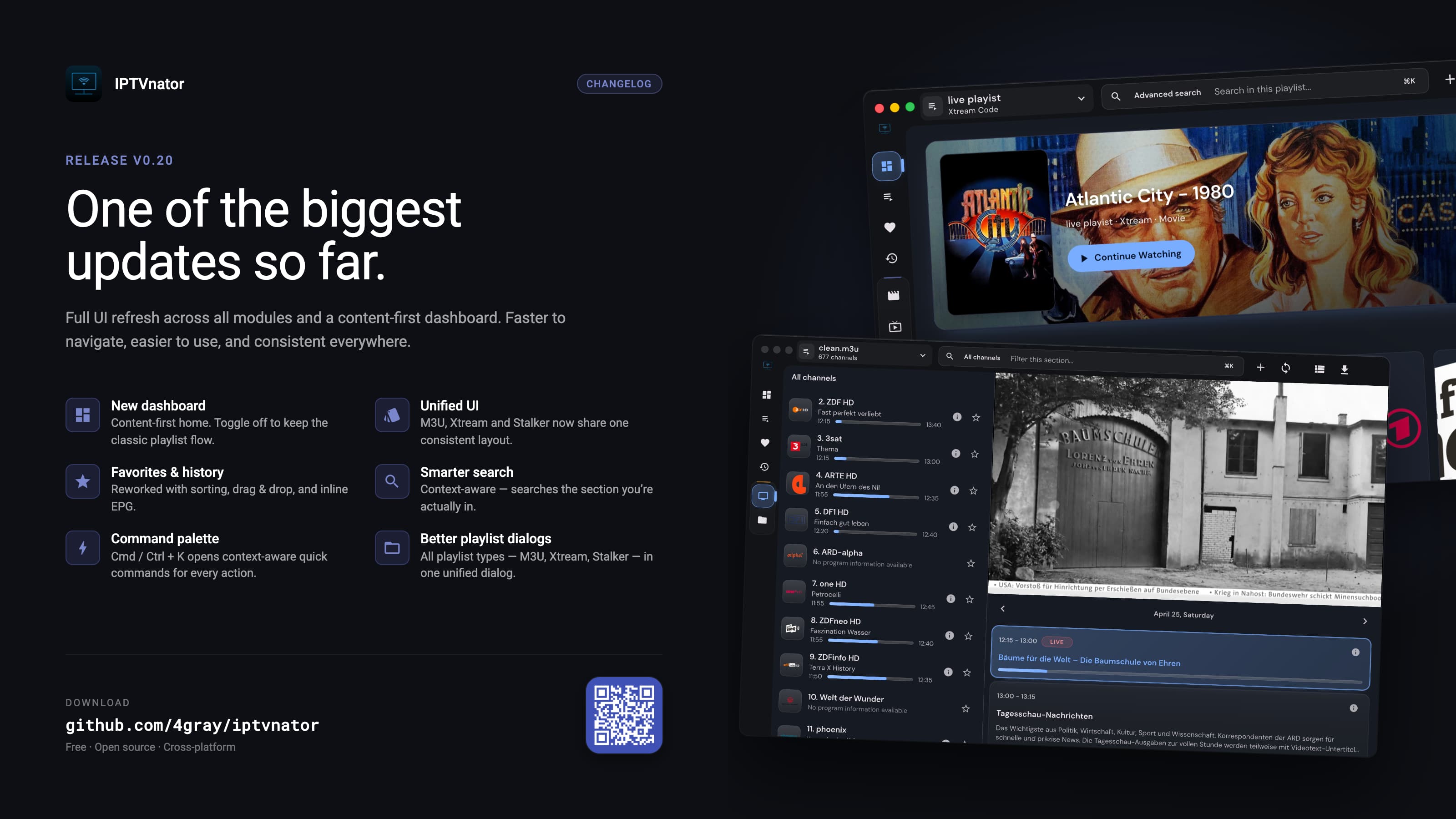
IPTVnator v0.20 is out.
This release brings one of the largest UI updates so far. M3U, Xtream, and Stalker now share a more consistent application shell, the app opens around content instead of playlists, and everyday navigation is faster through the new dashboard, command palette, and scope-aware search.
It also includes important platform work: macOS builds are now signed, the Linux Flatpak package is fixed, Stalker Live TV gets EPG support, and several playback and playlist-management issues were cleaned up.
Version
v0.20.0
Release date
April 26, 2026
Channels
Desktop · PWA
Support the project
- GitHub Sponsors: https://github.com/sponsors/4gray
- Ko-fi: https://ko-fi.com/4gray
Support continued development.
One-time support for the project.
Follow announcements and updates.
Highlights summary
| Area | Change | Impact |
|---|---|---|
| Dashboard | New content-first start screen with recently watched content, global favorites, and configurable startup behavior. | Less playlist switching, faster resume flow |
| Unified UI | M3U, Xtream, and Stalker now share one visual language, navigation model, and common playlist controls. | More predictable app behavior |
| Search | Scope-aware search follows the active view and category, with consistent category search across modules. | Fewer context switches while browsing |
| Playback | External player bar can control MPV/VLC sessions directly from the app and can be hidden in settings. | Better external-player workflow |
| Platform | macOS builds are signed and the Linux Flatpak package is fixed. | Smoother installation and updates |
Dashboard and navigation
new- Added a new dashboard screen with basic widgets.
- Switched the default experience toward a content-first start instead of a playlist-first approach.
- Added settings to disable the dashboard when you prefer the classic flow.
- Added startup-view controls so IPTVnator can open the first available view or restore the last opened section-level view.
- Added a new command palette with
Cmd/Ctrl + Kfor context-aware quick commands. - Added scope-aware search that follows the current section.
UI and settings
improved- Reworked the settings page.
- The app now follows the system theme by default.
- Added UI customization options for dashboard visibility and the external player bar.
- Improved visual consistency across M3U, Xtream, and Stalker.
- Added a dedicated external player bar that can control an opened MPV/VLC player from inside IPTVnator.
Favorites and history
improved- Reworked Favorites and Recently Viewed across the app.
- Added channel sorting.
- Added drag-and-drop support.
- Integrated EPG context into favorites and history views.
- Improved consistency across all modules.
Playlist management
improved- Reworked the Add Playlist dialog into one unified flow with M3U, Xtream, and Stalker tabs.
- Added an Xtream action to clear the form.
- Fixed drag-and-drop import for M3U files from the file system.
Search and discovery
improved- Added consistent category search across modules.
- Added Xtream category search.
- Preserved hidden Xtream categories after refresh.
- Improved search behavior so it reflects the active playlist section.
Module updates
newM3U
- Fully redesigned layout with a two-column categories and channels view.
- Replaced group accordions with a groups view.
- Improved sorting and category management.
- Added channel info dialog access from the channel context menu.
Xtream
- Improved the account information dialog.
Stalker
- Added EPG support for Live TV.
- Added channel sorting.
Screenshot gallery
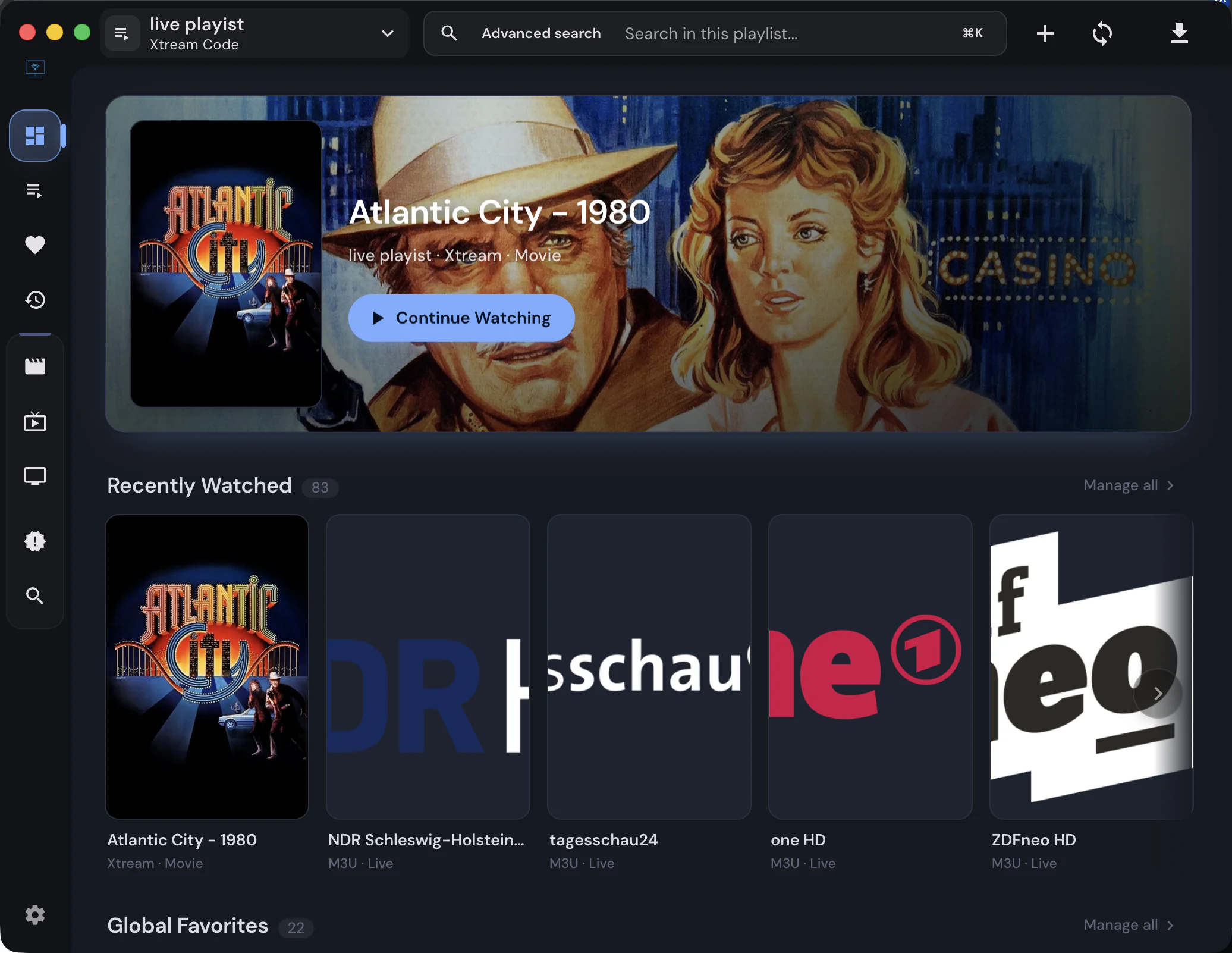
The new dashboard moves recent content and favorites to the front.
Before updating
Please back up your playlists, credentials, URLs, and other important data before installing a new release.
Download
Comments
Comments are hosted in GitHub Discussions. Loading them contacts giscus.app and github.com; nothing is requested from them until you choose to.