
Understanding the Electronic Program Guide
Learn how IPTVnator uses XMLTV data to display current and upcoming programs alongside your live TV channels.

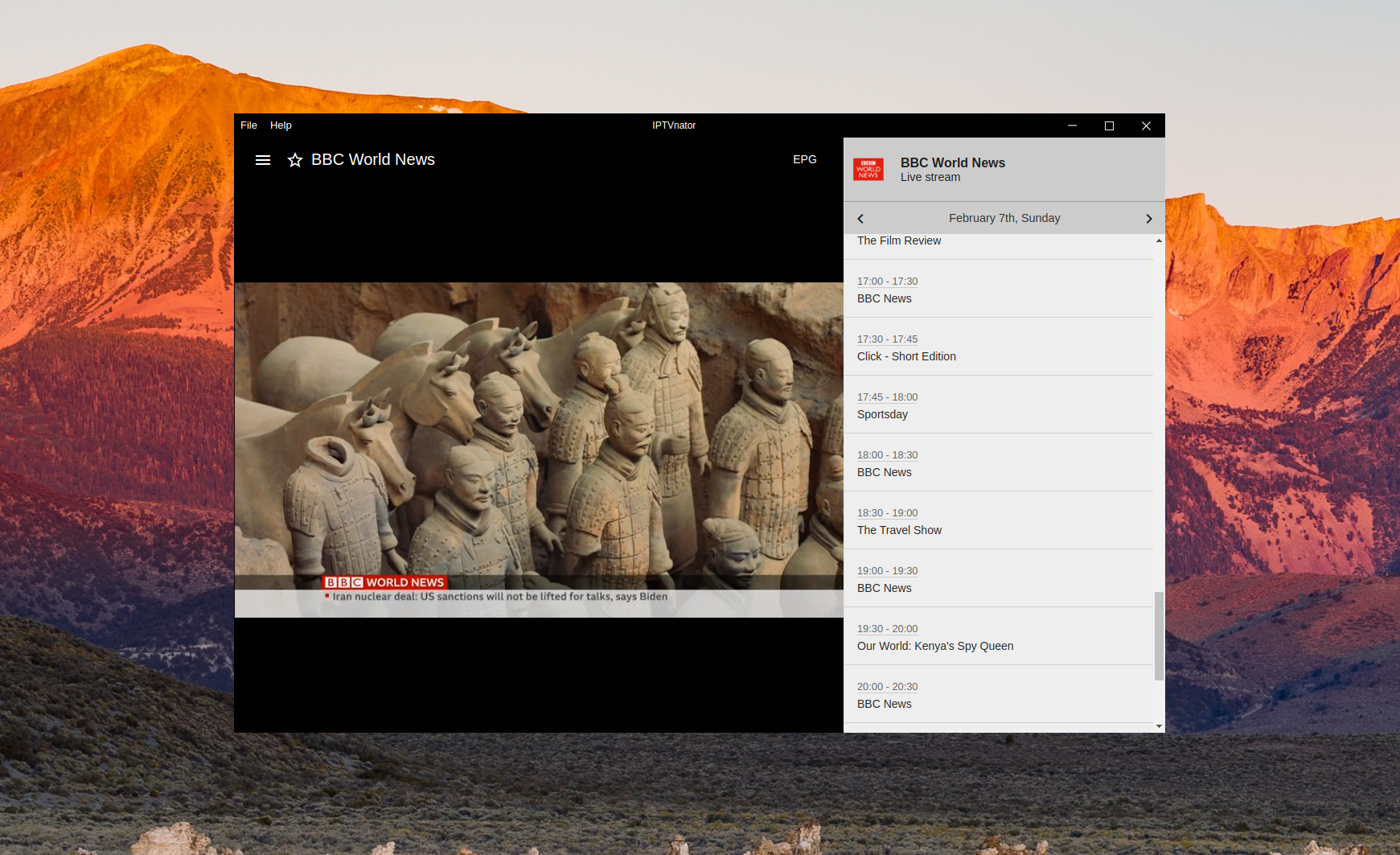
One of the most useful features in IPTVnator is the built-in Electronic Program Guide (EPG). Here is how it works and how to set it up.
What is EPG?
The Electronic Program Guide displays a schedule of current and upcoming TV programs for your channels. IPTVnator supports EPG data in the XMLTV format, which is the standard used by most IPTV providers.
Format tip
Most providers expose EPG as .xml or compressed .xml.gz files.
Setting up EPG
To enable EPG in IPTVnator:
- Open your playlist and navigate to the Settings tab
- Add an EPG URL — your IPTV provider should supply a URL ending in
.xmlor.xml.gz - Refresh the EPG data — IPTVnator will download and parse the program information in the background
The EPG data is parsed in a background worker thread, so it won’t slow down the main application even with large files.
EPG in action
Once configured, you will see:
- Current program displayed next to each channel in the channel list
- Progress bar showing how far through the current program you are
- Program details in the right sidebar when you select a channel
- Upcoming schedule with times and descriptions for future programs
Channel matching
IPTVnator matches EPG data to channels using the tvg-id attribute from your M3U playlist. Make sure your playlist includes these IDs for the best EPG experience.
Tips
- EPG files can be large — IPTVnator caches parsed data in the database (Electron)
- You can add multiple EPG sources per playlist
- The EPG automatically refreshes periodically to keep the schedule up to date