

Local-first work memory for developers who use Jira

Your work, remembered.

Reconstruct your days from Jira and code activity. Complete accurate worklogs. Turn the same grounded history into standups, manager updates, performance reviews, and CV‑ready evidence.

FREE · macOS · WIN · LINUX ★ STAR ON GITHUB
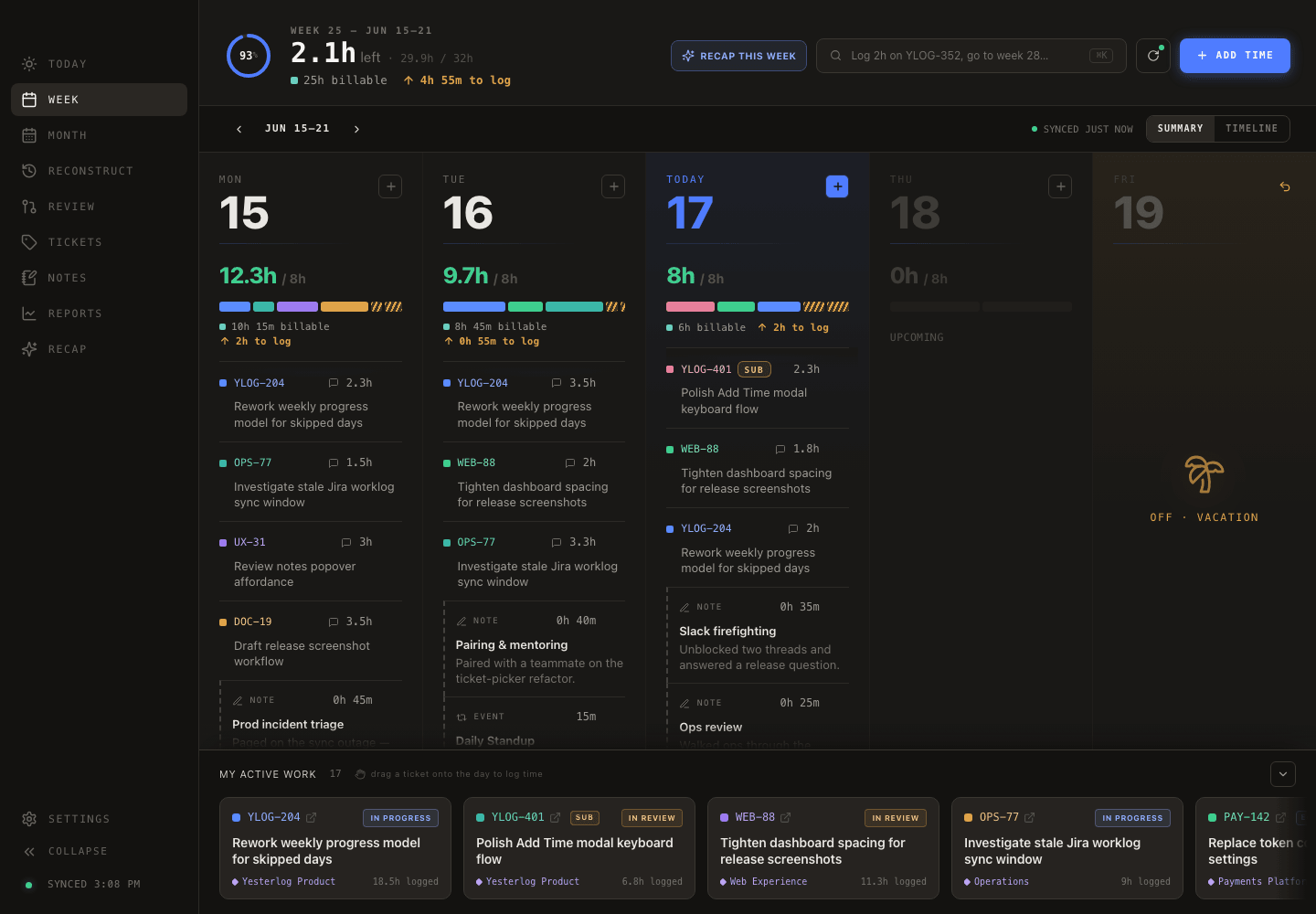
Yesterlog — Week 25 · 25h / 32h
Yesterlog week cockpit
78% logged 2‑click logging → drag onto any day
RECONSTRUCT YOUR DAY    COMPLETE THE RECORD    RECAP YOUR WORK    NO TELEMETRY    LOCAL-FIRST    GET YOUR FRIDAY BACK     RECONSTRUCT YOUR DAY    COMPLETE THE RECORD    RECAP YOUR WORK    NO TELEMETRY    LOCAL-FIRST    GET YOUR FRIDAY BACK    
Meet Yesterlog

Your manager wants every minute logged as a KPI. Yesterlog remembers the work behind the hours — then turns it into a record you can actually use.

And now it's Friday afternoon and you're squinting at an empty Jira worklog, trying to remember what Tuesday‑you actually did. Yesterlog reconstructs the day from Jira activity, commits, pull‑request reviews, meetings, and local notes — then carries that same grounded history into standups, manager updates, performance reviews, CV bullets, and changelogs.

Yesterlog task and clock mark

From scattered traces to a record you can actually use.

Reconstruct. Complete. Recap. The rest is supporting evidence.

01 🧩
Reconstruct missed days
Rebuild a forgotten day from Jira and Bitbucket activity. The deterministic core needs no AI.
02 🎯
Complete the record
Log in two clicks, drag work onto a day, edit the timeline, or keep a note local.
03
Create useful recaps
Turn a week, month, or quarter into standups, manager updates, review copy, CV bullets, or changelogs.
04 🔍
See every gap
Week and Month surface missing days. Reports show where the recorded time and attention went.
05 👀
Code review counts too
Optional Bitbucket activity brings reviewed pull requests and your own commits into the record.
06 🔗
Keep sources attached
Every recap workstream stays grounded in the tickets, commits, reviews, meetings, and notes behind it.
07 🧰
Work your way
Search any Jira ticket, keep active work close, schedule rituals, and add local-only notes.
08 🔒
Stay local‑first
No hosted Yesterlog account or telemetry. AI is optional, explicit, and off by default.
Take the tour

One grounded history, from today's worklog to review season.

☀️ Today

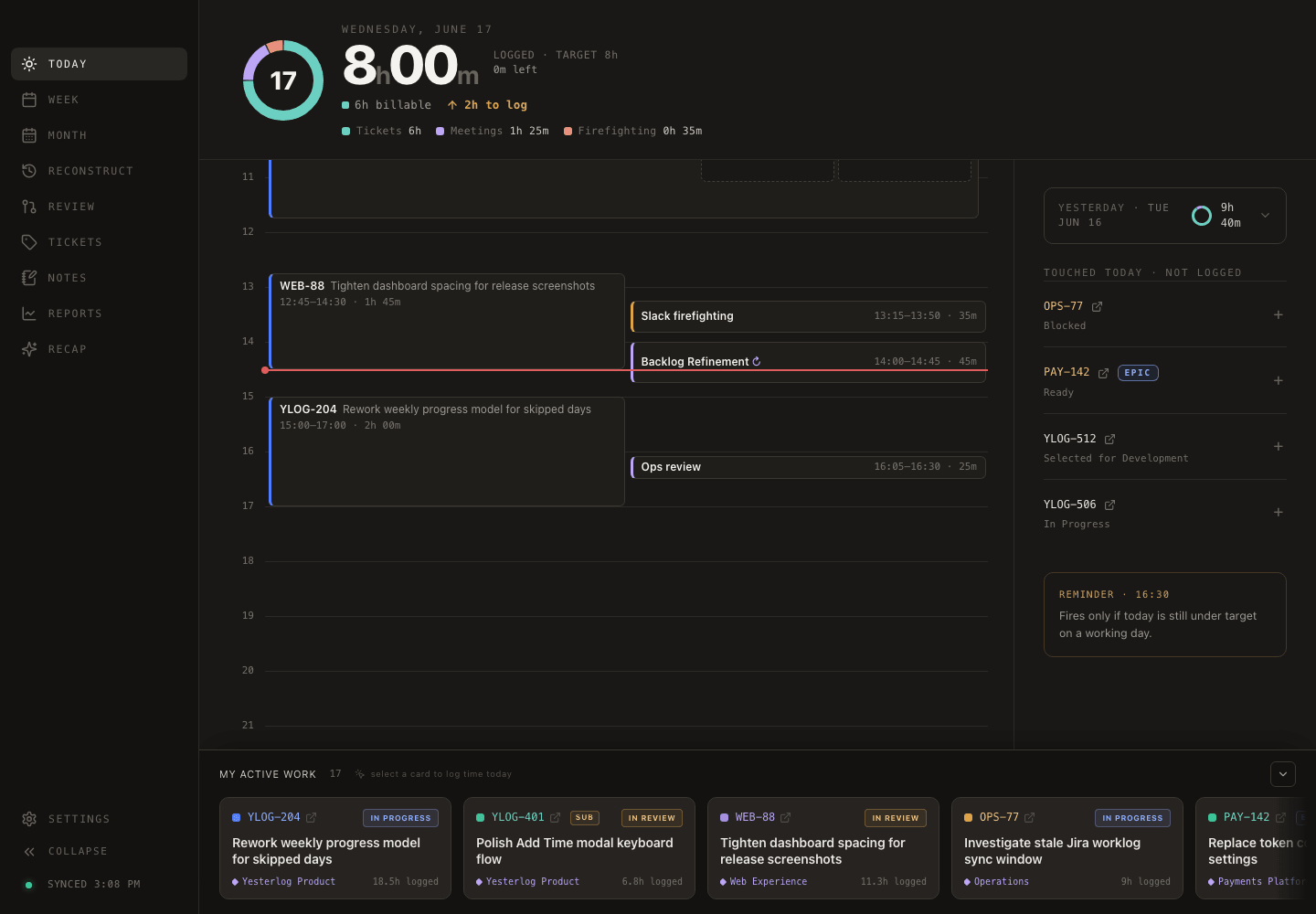
Log today in two clicks — the 8‑hour bar shows what's left.

Pick a ticket, tap a duration preset, jot a note, done. A "touched today, not logged" rail nudges you about tickets you clearly worked on, and a target bar shows exactly how much is left in the day.
Yesterlog Today view
🗓️ Month

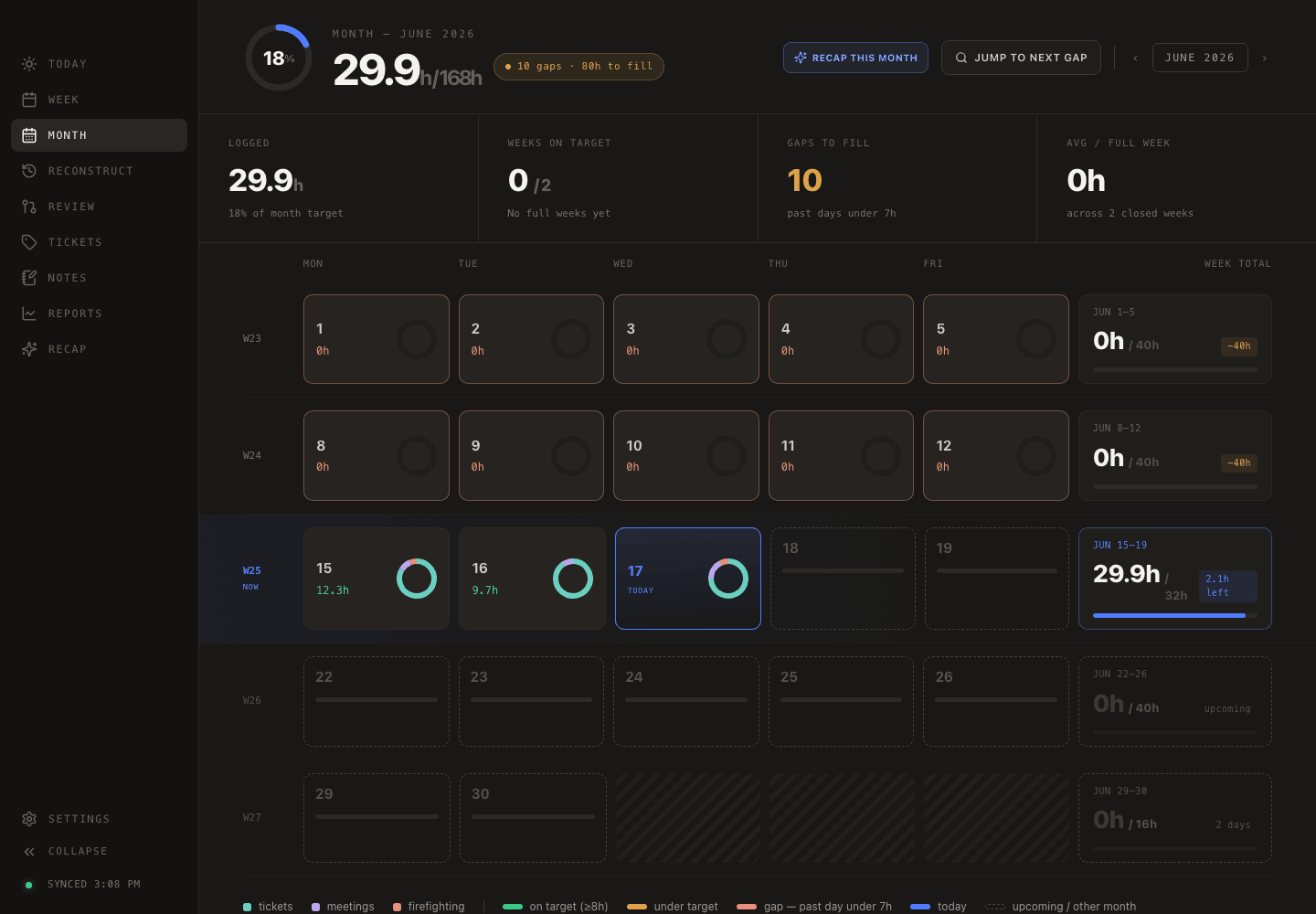
Find every under‑target day this month, and jump straight to the next gap.

The whole month as a calendar, color‑coded by whether each day hit target. The "jump to next gap" button walks you straight to the days you forgot — backfilling a sloppy month takes minutes, not detective work.
Yesterlog Month view
👀 Review

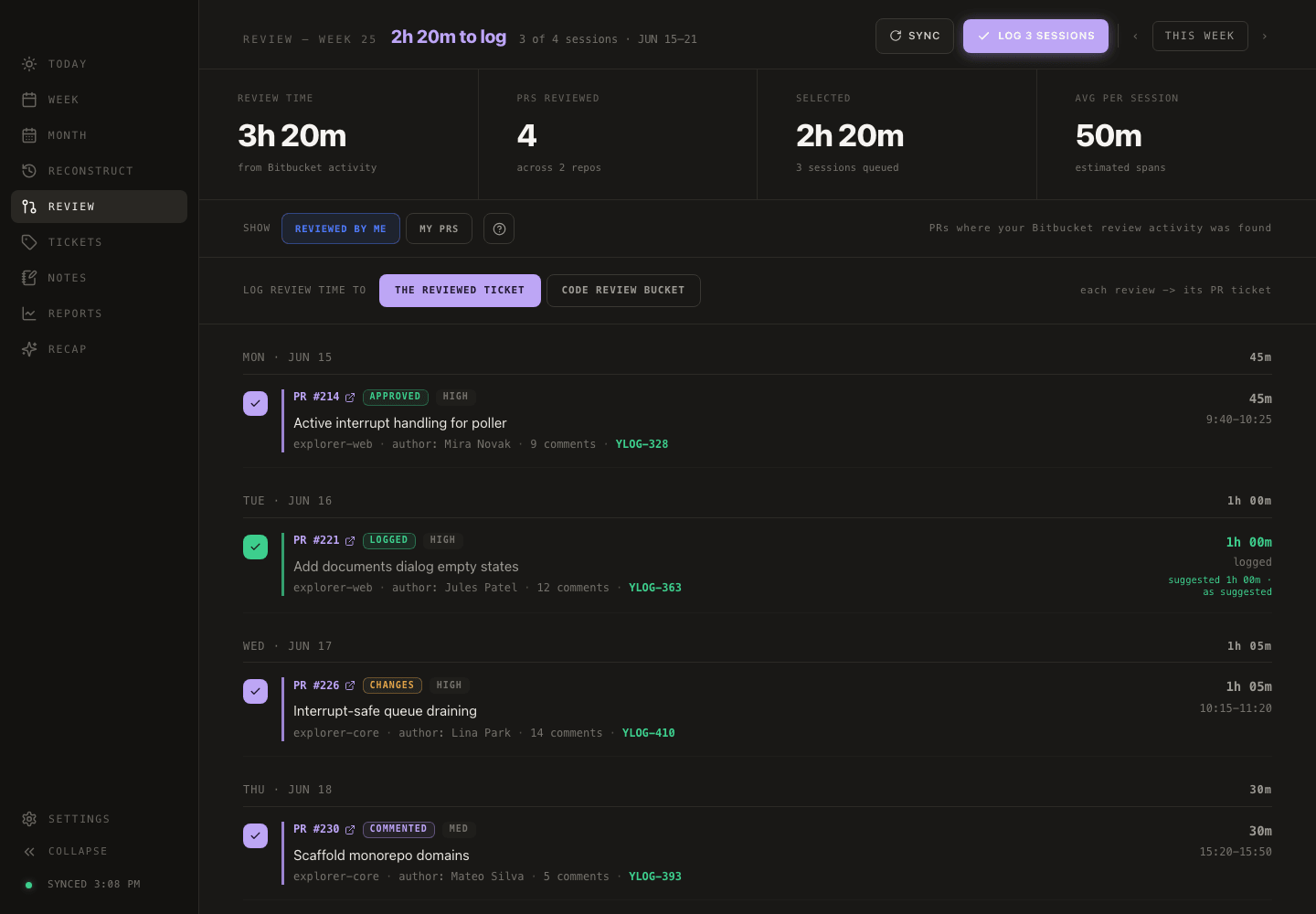
Turn a week of Bitbucket PR reviews into logged Jira hours, in one batch.

Connect Bitbucket Cloud and Yesterlog estimates how long you spent reviewing each pull request. Tick the sessions you want, choose where they land, and log them all to Jira in one batch. Strictly read‑only on the Bitbucket side.
Yesterlog Review view
Recap

Turn grounded history into copy that is ready when you need it.

Choose a week, month, or quarter, then shape the same evidence into a standup, manager update, performance review, CV draft, or changelog. Inspect every source, compare versions, export the result, and save the strongest snapshots to your local brag doc.
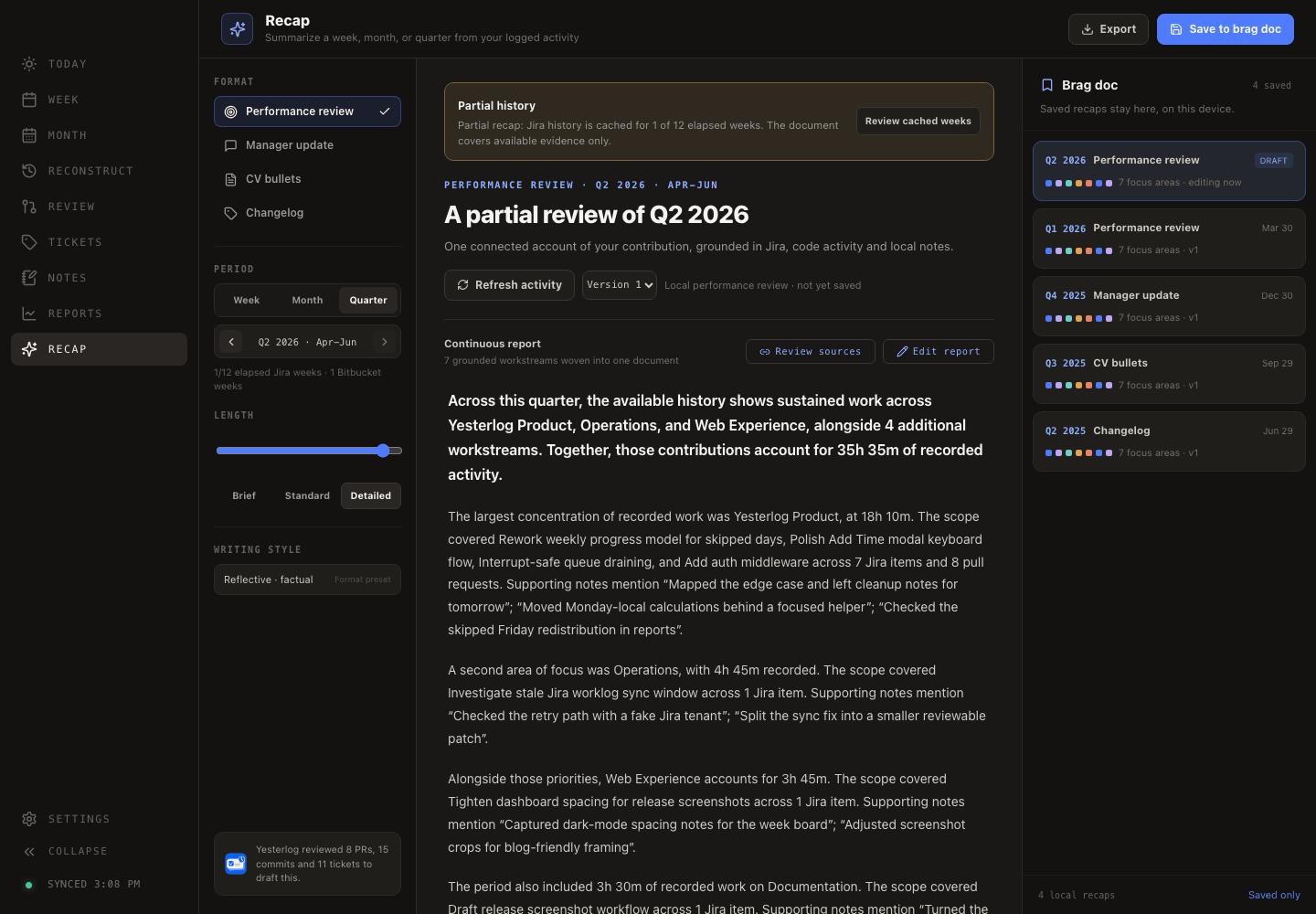
Yesterlog Recap workspace
📊 Reports

Billable %, days on target, and per‑ticket hours — one click to CSV.

Daily average, days on target, tickets touched, billable percentage, an hours‑per‑day chart, and a per‑ticket breakdown. Browse previous weeks, then export to CSV for the inevitable "can you send me the spreadsheet?"
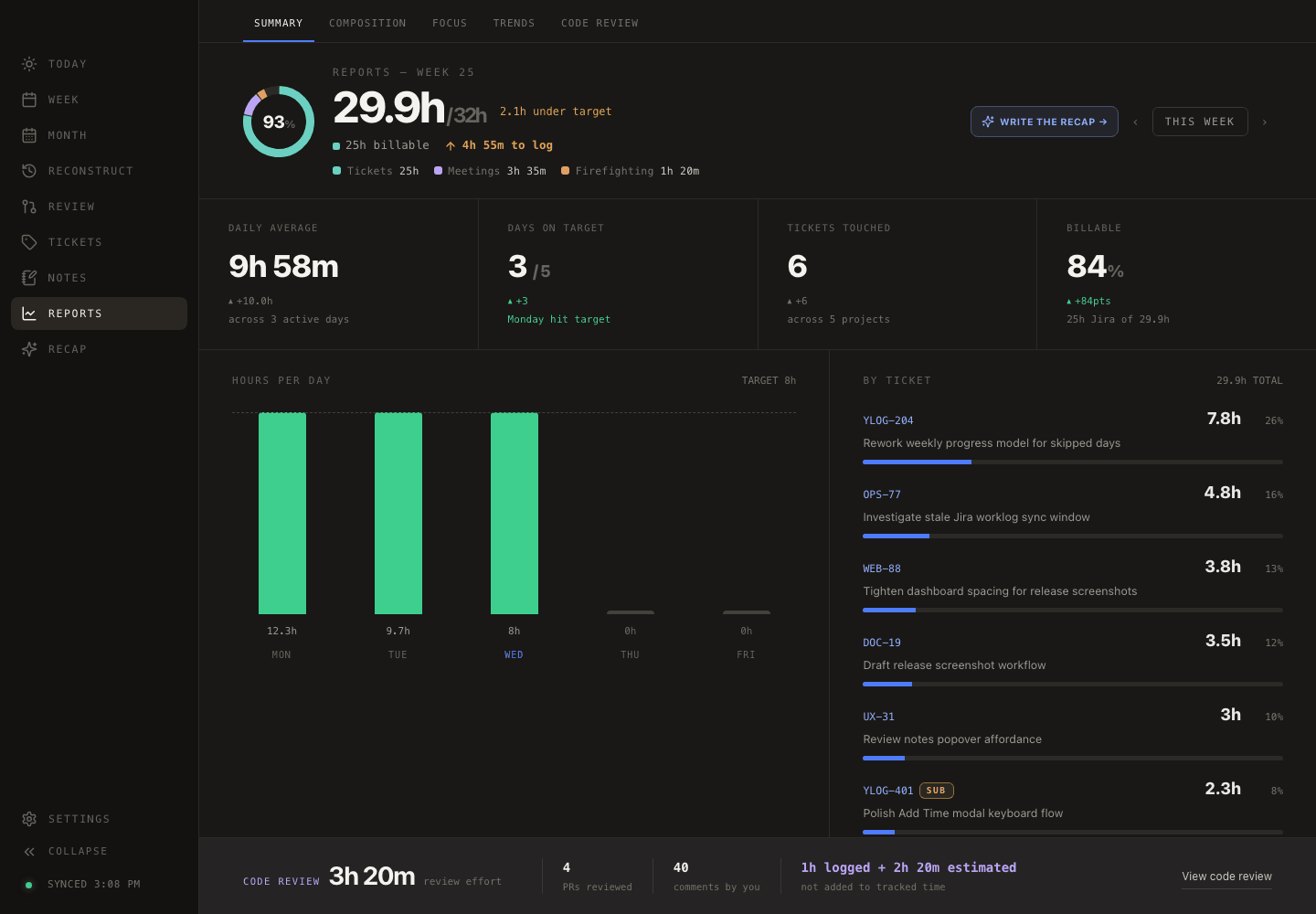
Yesterlog Reports view
🧩 Reconstruct · optional AI

Rebuild a forgotten day from your commits and PR reviews in about 90 seconds — no AI required.

Yesterlog reconstructs a forgotten day from the signals it already syncs — your Bitbucket commits, PR reviews, and the Jira time already logged — laid out on a 09:00→18:00 timeline. Drag each signal onto the hour it belongs to, fine‑tune any duration, and watch the day add up.

It works completely without AI. For optional polish, choose Ollama for fully local processing, Anthropic through the Claude CLI, or OpenAI through the Codex CLI. Cloud providers use your existing CLI login and receive best‑effort‑redacted day signals. AI is off by default; Yesterlog has no hosted backend or telemetry.

09:0012:0015:0018:00
commit · YLOG‑204
PR review · WEB‑88
logged · OPS‑77
drag onto the hour →
DAY TOTAL 7.5h
Local-first · no telemetry

Yesterlog has no server of its own. You choose every connection.

Your data lives on your machine in IndexedDB. Yesterlog connects directly to Jira, optional Bitbucket, and—only when you enable one—your selected AI provider.

No Yesterlog backend
Sync results, skipped days, favorites and personal notes stay on your laptop. Yesterlog runs no hosted account service or AI proxy.
Your credentials, your rules
Jira and Bitbucket credentials live in local IndexedDB. Claude and Codex authentication stays with the CLI you installed.
Local or cloud—your choice
Ollama stays fully on-device. Anthropic and OpenAI are explicit opt-in cloud choices, with best-effort redaction before prompts leave your machine.

Connect Jira in five minutes. Start building a record you'll actually keep.

Grab the installer for your platform. Then head to Settings → Jira, paste your site, email and API token. That's the whole setup.

Built with Electron + React·React · TypeScript · IndexedDB·open source
Yesterlog Yesterlog
Made for developers who'd rather build than remember what they built. 🐻
GitHub ↗